
Last updated: March 2026
Some links on this page are affiliate links. If you buy through them we may earn a small commission at no extra cost to you.
If you just want the answer:
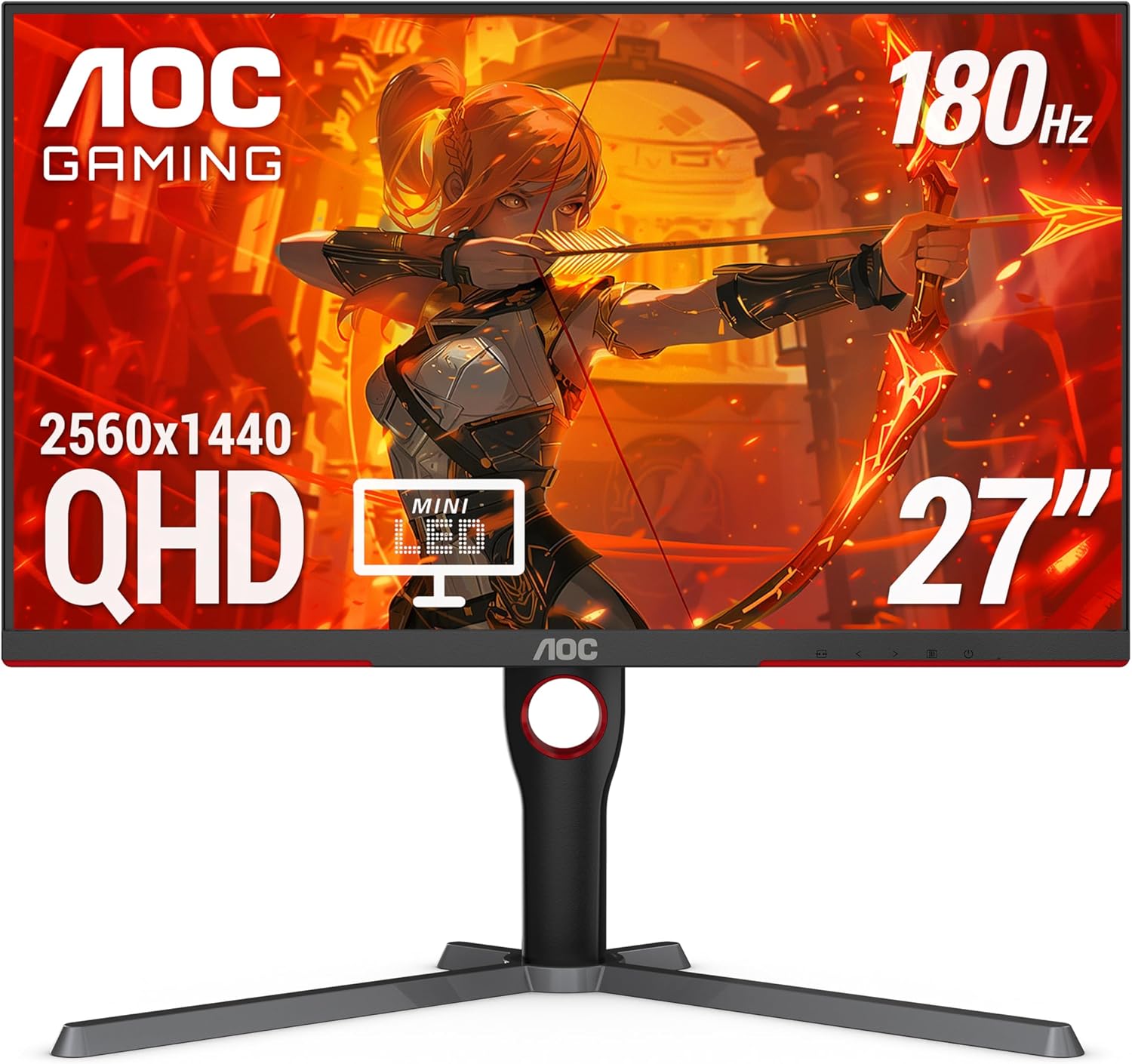
- Best overall: AOC Q27G3XMN — best budget Mini-LED value
- Best IPS: LG 27GR83Q-B — 240Hz for competitive gaming
- Best HDR: AOC Q27G40XMN — stronger HDR, best for AMD users
- Best under $200: HP OMEN 27q — cheapest honest 1440p option
1440p gaming monitors have become the sweet spot for PC builders. The resolution is noticeably sharper than 1080p, far easier to run than 4K, and the monitor market at this tier has matured enough that genuinely good options now land under $300.
The catch is that the budget 1440p market is uneven. A lot of monitors look fine on paper but fall apart when you compare panel quality, HDR implementation, or motion handling side by side. We went through RTings test data, enthusiast community feedback, and current availability to find the picks that actually hold up. These are the best budget 1440p gaming monitors available right now.
The most important thing to understand before buying: the right pick depends on what you play. If you want the best picture quality and real HDR punch, the Mini-LED VA options here are hard to beat at the price. If you play competitive games where motion clarity and input lag matter most, a fast IPS panel is the better call. We cover both directions below.
If your budget is flexible and you want to see the strongest overall options at this resolution, read our Best 1440p Gaming Monitors (2026) guide next.
On This Page
- Quick Picks
- Budget 1440p Monitor Comparison
- HDR vs. Motion Clarity
- Best Overall: AOC Q27G3XMN
- Best IPS: LG 27GR83Q-B
- Best HDR: AOC Q27G40XMN
- Value IPS: ASUS XG27ACS
- Best Under $200
- What to Look For
- GPU Pairing
- Frequently Asked Questions
- Final Verdict
Quick Picks
Budget 1440p Monitor Comparison
| Monitor | Panel | Refresh Rate | HDR | Best For |
|---|---|---|---|---|
| AOC Q27G3XMN | VA Mini-LED | 180Hz | HDR1000 | Best Overall |
| LG 27GR83Q-B | IPS | 240Hz | HDR400 | Best IPS / Console |
| AOC Q27G40XMN | VA Mini-LED | 180Hz | HDR1000 | Best HDR |
| ASUS XG27ACS | Fast IPS | 180Hz | HDR400 | Value IPS Alt |
| HP OMEN 27q | IPS | 165Hz | HDR400 | Best Under $200 |
The Real Decision: HDR vs. Motion Clarity
Before getting into individual picks, it helps to understand why this choice exists. The budget 1440p market splits cleanly into two directions, and most buyers fall into one camp without realizing it.
If you play single-player games, RPGs, or anything where image quality and immersion matter, the AOC Mini-LED options below will give you something the cheap IPS crowd fundamentally cannot: real contrast and real HDR. A VA Mini-LED monitor with local dimming delivers blacks that are orders of magnitude deeper than IPS, and at DisplayHDR 1000 certification the difference is visible and meaningful, not marketing noise.
If you play competitive multiplayer games where you are chasing clean motion, minimal ghosting, and the lowest possible input lag, a fast IPS panel is the right call. VA panels, even good ones, carry some smearing on fast dark objects. For Counter-Strike, Valorant, or Apex Legends, the LG or ASUS IPS options below are the better fit even though the picture in SDR looks less dramatic.
Both categories have strong picks under $300. The mistake is buying the wrong type for how you actually game.
Best Budget 1440p Gaming Monitor Overall: AOC Q27G3XMN
The AOC Q27G3XMN is the most complete budget 1440p recommendation because it does something the cheap IPS crowd cannot match: it delivers real contrast and real HDR punch. RTings rates it an 8.2 PC Gaming score and calls it the best gaming monitor under $300 and the best budget gaming monitor they have tested.
Panel and brightness: The Mini-LED backlight with local dimming hits around 387 nits in SDR real-scene measurements and climbs to roughly 810 nits in HDR, with peak brightness above 1,000 nits in smaller HDR windows. The contrast ratio sits around 4,000:1 before local dimming even engages. Compare that to the 1,000:1 you get from any budget IPS panel and the difference in a dark room is immediately obvious.
Color and accuracy: 91.7% DCI-P3 coverage is strong for this price. Colors look saturated and accurate out of the box without needing calibration for gaming use.
Motion and response: RTings measures about 4.5ms total response at max refresh with 4.3ms input lag. That is competitive but not the fastest in its class. The real tradeoff here is VA smearing: fast dark objects in motion show some trailing, and enthusiast communities have noted this is particularly visible in fast-paced shooters. If you play a lot of dark-scene competitive games, take this seriously.
Who should skip this: Competitive FPS players who prioritize the cleanest possible motion above all else. The LG 27GR83Q-B is a better fit for that use case.
Best Budget IPS 1440p Monitor: LG 27GR83Q-B
The LG 27GR83Q-B is the strongest case for a budget high-refresh IPS monitor. It combines 240Hz with some genuinely unusual features for the price point, including dual HDMI 2.1 ports and 4K 120Hz downscaling support that makes it fully compatible with PS5 and Xbox Series X at 1440p 120Hz with VRR.
Speed: RTings measures 3.2ms input lag at max refresh and around 6.6ms total response time. That input lag number is among the lowest in this price range. For competitive gaming where milliseconds add up, this is a meaningful advantage.
IPS tradeoffs: The contrast sits at about 1,000:1, which is standard IPS. HDR400 certification means brightness tops out around 500 nits peak and blacks look gray rather than black in a dark room. If you game in a bright room this is barely noticeable. If you game in the dark, the AOC Mini-LED options will look dramatically better in HDR content.
Gray uniformity: RTings scores this at 5.3, which is below what we would normally consider ideal. The review text notes the screen looks good overall in practice, but there can be unit-to-unit variance. Worth noting without overstating.
Who this is for: Competitive gamers who want the fastest motion under $300. Console and PC dual-setup owners who need real HDMI 2.1. Anyone who games in a bright room where the contrast difference between IPS and Mini-LED is minimized.
Best Budget HDR 1440p Monitor: AOC Q27G40XMN
The AOC Q27G40XMN is the newer AOC Mini-LED option and in several ways the stronger HDR implementation. RTings gives it an 8.1 PC Gaming score and notes it has more dimming zones, less blooming, and higher brightness than the Q27G3XMN. SDR real-scene brightness measures around 505 nits compared to the Q27G3XMN’s 387 nits. That is a meaningful difference for daytime use in a bright room.
The caveat you need to know: RTings explicitly notes that this monitor’s DisplayPort 1.2 bandwidth prevents it from reaching 180Hz with NVIDIA graphics cards over DisplayPort without specific workarounds. AMD GPU owners are unaffected. NVIDIA owners should verify their setup before buying. This is a real-world issue that has surfaced in user reports and is worth flagging clearly rather than burying.
VRR flicker: Like most OLEDs and some Mini-LED panels, the Q27G40XMN has reported VRR flicker. It is present and noticeable for some users when frame rates shift suddenly. RTings flags this. If VRR flicker sensitivity is a concern for you, the Q27G3XMN has a better track record here.
Who this is for: AMD GPU owners who want the best HDR implementation currently available under $300. Single-player and immersive game players who will benefit most from the superior local dimming.
Best Value IPS Alternative: ASUS ROG Strix XG27ACS
The ASUS ROG Strix XG27ACS is the most interesting safe IPS value pick. RTings gives it a 7.3 PC Gaming score and calls out its fast response time, low input lag at 4.1ms, ELMB-Sync for backlight strobing, USB-C with DisplayPort Alt Mode, and an accurate sRGB mode that makes it usable for content creation alongside gaming.
Gray uniformity: RTings scores this at 6.8, which is noticeably better than the LG’s 5.3. Panel consistency is stronger here if that matters to you.
Color: 91.1% DCI-P3 coverage is competitive with the AOC options above. The dedicated sRGB mode calibrates down to a more accurate color space for non-gaming work, which is a useful feature most budget monitors skip.
Weaknesses: Like all budget IPS options, contrast is around 1,000:1 and HDR400 certification does not deliver a meaningful HDR experience. There are also scattered user reports of flicker in some units and minor DisplayPort behavior quirks during initial setup. These are not universal but worth knowing.
Who this is for: Anyone who wants solid IPS motion but the LG is out of stock or overpriced. Users who want USB-C connectivity or a dedicated sRGB mode alongside gaming.
Best 1440p Gaming Monitor Under $200: HP OMEN 27q
The HP OMEN 27q earns its spot here on price alone. It is the most accessible path to 1440p gaming on a tight budget, and RTings describes it as a capable entry-level option for exactly that use case.
What you get: A 27-inch IPS panel at 1440p and 165Hz. Brightness around 400 nits, 1,000:1 contrast, and HDR400 certification that is largely nominal. FreeSync Premium support for VRR. It covers the fundamentals without distinction.
Who this is for: Budget-first buyers who want 1440p but cannot stretch to $270 or above. Anyone stepping up from 1080p who wants the resolution improvement without committing to a premium panel. If the price gap between this and the AOC Q27G3XMN is significant enough given your budget, the trade-off is reasonable.
Who should skip this: If you can comfortably afford $270 or more, the ASUS XG27ACS or LG 27GR83Q-B are meaningfully better monitors. The HP OMEN 27q is the right call only when price is the primary constraint.
What to Look for in a Budget 1440p Gaming Monitor
Panel technology is the starting point for every other decision. IPS panels offer wide viewing angles, accurate color, and clean motion but contrast is limited to around 1,000:1. VA panels deliver much deeper blacks and stronger contrast but carry some motion smearing on fast dark objects. Mini-LED VA combines VA contrast with a backlit array of small LED zones for local dimming, getting you closer to OLED-level blacks at a fraction of the cost. Each type has a place in this list for good reason.
Refresh rate at this price range spans 165Hz to 240Hz. For competitive gaming, 240Hz provides a real advantage in games where you consistently reach high frame rates. For single-player gaming, 165Hz or 180Hz is more than sufficient and the budget is better spent on panel quality. Check your GPU against our $1,000 1440p build guide, $1,500 1440p build guide, or $2,000 build guide to see what frame rates your hardware can actually sustain.
HDR certification breaks into two real tiers at this price. DisplayHDR 400 is the most common certification at budget prices and in practice delivers limited HDR benefit since 400 nits peak brightness and no local dimming means blacks still look gray. DisplayHDR 1000 certification, which the AOC Q27G3XMN carries, requires local dimming and substantially higher peak brightness. The difference between HDR400 and HDR1000 is visible and significant. Do not treat them as equivalent.
Adaptive sync covers both FreeSync and G-Sync Compatible at this price range. All five monitors listed here support FreeSync Premium or equivalent VRR. If you have an NVIDIA GPU, look for G-Sync Compatible certification for the smoothest experience or verify VRR behavior with your specific GPU before buying.
Response time and input lag are different measurements that both matter. Response time affects motion clarity and ghosting. Input lag affects how quickly the monitor displays what your GPU renders. For competitive gaming, both numbers should be low. The LG 27GR83Q-B at 3.2ms input lag leads this list on that metric.
GPU Pairing for Budget 1440p Monitors
A 180Hz or 240Hz 1440p monitor is only as useful as your GPU’s ability to push frames. If your hardware cannot consistently reach high frame rates at 1440p, a 240Hz panel is not delivering its full benefit.
For the monitors on this list, here is a rough GPU matching guide based on current hardware:
For 180Hz at 1440p high settings: The RX 9060 XT 16GB or RTX 5060 Ti 8GB will keep you near or above 180fps in most titles at 1440p high settings. Either GPU pairs well with any monitor on this list.
For 240Hz competitive gaming at 1440p: You need to consistently hit 240fps in your primary titles, which typically requires lower graphics settings in demanding games. The RX 9070 XT or RTX 5070 are better matches for that target in modern titles. In competitive esports titles like Valorant or CS2 the frame rate ceiling is much more achievable with mid-range hardware.
For deeper GPU recommendations specifically optimized for this resolution, see our Best GPUs for 1440p Gaming 2026 guide. That article breaks down which graphics cards are best suited for high refresh rate 1440p monitors like the ones in this guide.
Frequently Asked Questions
Is Mini-LED worth it over IPS at this budget?
For single-player gaming in a controlled lighting environment, yes. The contrast and HDR difference between a Mini-LED VA like the AOC Q27G3XMN and a standard budget IPS panel is substantial and immediately noticeable in dark scenes. For competitive gaming where motion matters more than picture quality, standard IPS is the better call. The right answer depends on what you play.
Does VA smearing actually matter at 180Hz?
It depends on the game and your sensitivity. At 180Hz the smearing is less pronounced than it was on older 60Hz VA panels, but it is still measurable and visible in fast-moving dark scenes. RTings explicitly notes it on the AOC Q27G3XMN and real user reports confirm it in shooters. For single-player games and most genres it is a non-issue. For dark-environment shooters where this is most visible, an IPS panel is the cleaner choice.
What is the difference between the AOC Q27G3XMN and Q27G40XMN?
Both are 27-inch VA Mini-LED panels at 180Hz and 1440p. The Q27G40XMN is the newer model with more local dimming zones, less blooming, and higher SDR brightness at approximately 505 nits versus the Q27G3XMN’s 387 nits. However, the Q27G40XMN has a confirmed DisplayPort bandwidth limitation that prevents reaching 180Hz with NVIDIA GPUs without workarounds, and it has more reported VRR flicker. The Q27G3XMN is the safer all-around recommendation. The Q27G40XMN makes sense for AMD GPU owners who want the stronger HDR implementation.
Is the LG 27GR83Q-B actually good for consoles?
Yes. It has dual HDMI 2.1 ports with full 48Gbps bandwidth, which means PS5 and Xbox Series X can run at 1440p 120Hz with VRR correctly. It also supports 4K 120Hz downscaling over HDMI 2.1 if you want to connect a console at 4K and have it display at 1440p. For a dual PC and console setup under $300 this is the strongest option on this list.
Why is the Dell G2724D not on this list?
The Dell G2724D is a very good monitor with strong RTings scores and consistent performance across the VRR range. We left it off because it is currently difficult to buy reliably. RTings themselves note it is hard to find through most retailers, and tracking data shows spotty availability. A monitor we cannot confidently link to a live listing is not a useful recommendation for an affiliate article. If you find it in stock at a good price it is a legitimate pick.
Is DisplayHDR 400 worth anything?
Mostly no. DisplayHDR 400 requires only 400 nits peak brightness and does not require local dimming, so blacks stay gray even when HDR is enabled. It is the minimum certification level and in practice adds very little to the viewing experience. DisplayHDR 1000 with local dimming, which the AOC Q27G3XMN carries, is a meaningfully different spec. Do not treat HDR400 and HDR1000 as the same feature at different levels.
Final Verdict
If you want the best overall budget 1440p gaming monitor today, the AOC Q27G3XMN remains the strongest pick. The Mini-LED backlight, deep contrast, and real HDR performance give it an image quality advantage that most budget IPS monitors simply cannot match.
Competitive players who care more about motion clarity than contrast should instead look at the LG 27GR83Q-B. Its 240Hz refresh rate and extremely low input lag make it one of the fastest gaming monitors available under $300.
If your focus is HDR and immersive single-player gaming, the AOC Q27G40XMN offers the strongest HDR implementation in this price range, especially for AMD GPU owners.
Ultimately the right monitor depends on how you play. Competitive gamers should prioritize motion clarity and refresh rate, while story-driven or cinematic gaming benefits far more from contrast and HDR performance.