
Last updated: April 2026
Some links on this page are affiliate links. If you buy through them we may earn a small commission at no extra cost to you.
The $800 1080p build is the one we recommend for buyers on a hard budget. The best $1000 gaming PC build for 1080p is the one we would rather own. The difference is not raw frame rates. It is 16GB of VRAM instead of 8GB, which means demanding AAA games do not ask you to manage texture settings six months from now. At $1000 there is room to make the better long-term call, and this build makes it.
This is not a stripped-down 1080p system with an extra $200 bolted on. It is a build with a specific identity: fewer compromises, better AAA comfort, and a GPU recommendation that holds up longer than the alternatives at this price.
On This Page
- Build at a Glance
- Who This Build Is For
- Why 16GB VRAM at This Tier
- Full Parts List
- Performance Snapshot
- Expected 1080p Performance
- Price Check Rules
- Why These Parts
- Compatibility Checklist
- Upgrade Path
- Monitor Pairing
- Frequently Asked Questions
- Final Verdict
Best $1000 Gaming PC Build for 1080p (2026): At a Glance
- Target Resolution: 1080p High / Ultra
- Ideal For: Competitive esports, modern AAA games, and buyers who want long-term 1080p comfort
- Frame Rate Goal: 144+ FPS in competitive titles, 70-120 FPS in AAA
- VRAM Tier: 16GB recommended. 8GB fallback only if pricing forces it.
- Platform: AM4 DDR4, proven, affordable, no wasted platform spend
- Upgrade Flexibility: Strong GPU and RAM upgrade path via existing platform
Who This Build Is For
This build is for the gamer who wants to stay at 1080p for the next few years and does not want to make the kind of compromises that show up over time. You play competitive titles regularly but you also spend real time in demanding AAA games, and you want both experiences to feel clean.
This build handles that use case especially well over the long term. The difference is not dramatic on a spec sheet, but it is real in practice. With 16GB of VRAM as the primary GPU recommendation, this system does not ask you to manage texture settings in titles like Starfield, The Last of Us, or whatever texture-heavy release comes next. You are less likely to run into the texture-setting compromises that start showing up on 8GB cards in newer AAA games.
This is also the right build for buyers who have been on a console or older PC and want to step into PC gaming with something that feels genuinely capable, not just adequate. You are spending $1000. The build should feel like it.
Why 16GB VRAM at This Tier
8GB is still sufficient for 1080p gaming in most titles today. At $1000, there is room to make the better long-term GPU choice.
The RX 9060 XT 16GB costs more than the 8GB version, but it removes the VRAM ceiling that causes stuttering in a growing number of AAA titles at high texture settings. At 1080p today, 8GB is still fine in many games. In some newer titles it is not, and that list is getting longer. The 16GB card meaningfully reduces that concern and gives this build a cleaner long-term 1080p story.
The performance difference in pure frame rates is modest. The difference in how the build ages is meaningful. For a full breakdown of where VRAM limits actually show up in real games, see our How Much VRAM Do You Need for Gaming 2026 guide.
Full Parts List (Updated April 2026)
The components below were selected to deliver better long-term 1080p performance at the $1000 price point. The RX 9060 XT 16GB is the primary recommendation and the reason this build exists in this price tier. If pricing forces a compromise on the GPU, see the fallback options below, but treat the 16GB card as the target.
1080p Performance Snapshot
The table below shows estimated FPS ranges for all three GPU options at 1080p on high settings without aggressive upscaling. The 16GB card is the primary recommendation not because it pushes dramatically higher frame rates in most titles, but because it handles demanding AAA games more cleanly and gives the build a longer runway as game requirements increase.
| GPU | Warzone | Cyberpunk 2077 | Fortnite | Baldur’s Gate 3 | Starfield | Apex Legends |
|---|---|---|---|---|---|---|
| RX 9060 XT 16GB | 145-175 FPS | 105-125 FPS | 200-240 FPS | 135-160 FPS | 75-90 FPS | 190-230 FPS |
| RX 9060 XT 8GB | 135-165 FPS | 95-115 FPS | 185-225 FPS | 125-150 FPS | 60-75 FPS* | 180-215 FPS |
| RTX 5060 Ti 8GB | 130-160 FPS | 90-110 FPS | 180-220 FPS | 120-145 FPS | 55-70 FPS* | 175-210 FPS |
Estimated ranges at 1080p high settings without aggressive upscaling. Actual performance varies depending on CPU, RAM, driver version, and specific game. * 8GB cards may experience stuttering in Starfield and other VRAM-heavy titles at high texture settings. Dropping textures one step resolves the issue.
Find the Right Monitor for This Build
Not sure what monitor pairs best with this build? Use our GPU Monitor Match Tool to find the right display for how you want to play.
Expected 1080p Gaming Performance
At 1080p, all three GPU options deliver strong frame rates across both competitive and AAA titles. The 16GB card is not dramatically faster in most games. What it does differently is handle the exceptions cleanly.
Competitive titles like Fortnite, Apex Legends, Valorant, CS2, and Warzone all push well above 144 FPS on all three cards. That is not the differentiator at this tier. The differentiator is how the build handles demanding open world games at high texture settings over time. Cyberpunk 2077 at high settings runs comfortably in the 105-125 FPS range on the 16GB card. Baldur’s Gate 3 is smooth throughout. Starfield, which has been a consistent test of VRAM limits on 8GB cards, runs without texture-related stuttering on the 16GB version.
- Esports titles: 144 FPS or higher on all three GPU options at 1080p
- Modern AAA games: 70-120 FPS at high settings depending on the title
- VRAM-heavy titles: The 16GB card handles these cleanly at high texture settings. The 8GB cards may require dropping one texture level in the most demanding titles.
For a full breakdown of what these frame rate targets mean for your monitor and gameplay experience, see our What Is a Good FPS for Gaming 2026 guide. For a deeper look at why VRAM matters even at 1080p, see our How Much VRAM Do You Need for Gaming 2026 guide.
Price Check Rules
Component prices move constantly. Here is how to approach this build regardless of when you are shopping.
- The RX 9060 XT 16GB is the target GPU for this build. Do not downgrade to 8GB unless the pricing difference pushes the build meaningfully past $1,050.
- If the 16GB card is unavailable or overpriced, the RX 9060 XT 8GB is the value fallback. The build still performs well. You are giving up the VRAM headroom that defines this build.
- If NVIDIA features matter to you: DLSS 4, Frame Generation, or NVIDIA’s encoder for streaming, the RTX 5060 Ti 8GB is the right alternative. Buy it when it is the better deal or when NVIDIA’s ecosystem specifically benefits how you play.
- If RAM pricing is elevated, stay at 16GB and upgrade to 32GB later. 16GB handles everything this build targets.
- If SSD pricing spikes, a 500GB NVMe is an acceptable temporary starting point. The B550 board has a second M.2 slot for expansion later.
- Always compare prices at Amazon and Newegg before buying. GPU deals change week to week.
Why These Parts
Every component in this build was chosen to support the core identity: a 1080p gaming PC with better long-term comfort and fewer compromises than the entry-level tier. Here is the reasoning behind each decision.
AMD Ryzen 5 5600
The Ryzen 5 5600 is the right CPU for this build because it is fast enough for high refresh rate 1080p gaming and leaves the budget available for a stronger GPU. Six cores, twelve threads, and solid single-threaded performance cover everything this build needs. The included Wraith Stealth cooler handles stock speeds reliably. The AM4 platform is mature, stable, and well understood with no compatibility surprises for first-time builders. For more on why AM4 still makes sense in 2026, see our AM4 vs AM5 for Gaming 2026 guide. For a full breakdown of how the 5600 fits into the broader CPU decision at this budget, see our Best Budget CPUs for Gaming 2026 guide. For a broader look at how this CPU compares across all gaming tiers, see our Best CPUs for Gaming 2026 guide.
MSI PRO B550M-VC WIFI
The MSI PRO B550M-VC WIFI provides everything this build needs from a motherboard without spending beyond what the platform requires. PCIe 4.0 support, built-in Wi-Fi 6E, two M.2 slots, and a Flash BIOS Button for firmware updates without a CPU installed. It is a well-supported board that keeps the budget on the GPU where it belongs. Spending more on a motherboard at this tier does not improve gaming performance. For a full breakdown of how this board fits into the broader motherboard decision, see our Best Motherboards for Gaming 2026 guide.
GPU: The Reason This Build Costs $1000
The graphics card is the defining decision in this build. The frame rate numbers are not dramatically different in most games. The difference is in how the build handles the games where VRAM limits already matter, and how much better it is positioned for the next two to three years. For a broader look at how these cards fit into the GPU market, see our GPU Tier List 2026 and our Best GPUs for 1080p Gaming 2026 guide.
AMD Radeon RX 9060 XT 16GB (Primary Pick)
The RX 9060 XT 16GB is the primary recommendation for this build and the reason to spend $1000 instead of $800. It delivers the same strong raster performance as the 8GB version in most titles, but without the VRAM ceiling that causes stuttering in demanding AAA games at high texture settings. Starfield, The Last of Us, and an increasing number of newer titles push past 8GB at high settings. The 16GB card handles all of them without asking you to manage texture quality. Built on AMD’s RDNA 4 architecture, it also brings meaningful improvements in ray tracing and AI-assisted upscaling over previous generations. For a full look at how it compares to the competition, see our Best GPUs Under $500 2026 guide.
AMD Radeon RX 9060 XT 8GB (Value Fallback)
If the 16GB card is overpriced or unavailable when you are ready to buy, the RX 9060 XT 8GB is the fallback. The build still performs well at 1080p across competitive and AAA titles. You are giving up the VRAM headroom that defines this tier. If pricing forces this choice, the build is still a strong 1080p system. But the 16GB card is what this budget is for.
NVIDIA GeForce RTX 5060 Ti 8GB (NVIDIA Alternative)
The RTX 5060 Ti 8GB is the right choice when NVIDIA’s features specifically matter to you, or when it is simply the better deal that week. DLSS 4 with Frame Generation is a real advantage in supported titles, and NVIDIA’s encoder is the better option for streamers. Raw 1080p raster performance is comparable to the RX 9060 XT 8GB in most games. Like the 8GB AMD card, it does not have the VRAM headroom of the primary recommendation.
AMD vs NVIDIA Driver Stability
Both AMD and NVIDIA occasionally release drivers that introduce bugs or performance issues. The best practice regardless of brand is to stick with stable driver releases and avoid beta drivers unless they address a specific issue you are experiencing. If you ever switch GPU brands, use Display Driver Uninstaller before installing new drivers to ensure a clean installation.
G.Skill Ripjaws V 16GB DDR4-3600
16GB of DDR4-3600 is the right starting point for this build. DDR5 pricing has been elevated through 2025 and into 2026, and switching to a DDR5 platform at this budget would force a GPU downgrade that hurts gaming performance far more than faster memory helps. 16GB handles modern games, Discord, a browser, and background apps without issue. DDR4-3600 is a well-matched speed for Ryzen processors on AM4. Enable XMP in your BIOS after building to make sure the RAM runs at its rated speed. For more on how much memory this build actually needs and when upgrading makes sense, see our How Much RAM Do You Need for Gaming 2026 guide. For specific kit recommendations, see our Best RAM for Gaming 2026 guide.
Samsung 990 EVO Plus 1TB NVMe
1TB is the practical minimum for a modern gaming library. Many current titles exceed 100GB individually, so smaller drives fill up fast. The Samsung 990 EVO Plus is a reliable PCIe 4.0 NVMe drive that delivers fast load times and solid system responsiveness. The MSI B550 board includes a second M.2 slot for easy storage expansion later. For more SSD options, see our Best SSDs for Gaming 2026 guide.
Montech Air 903 MAX
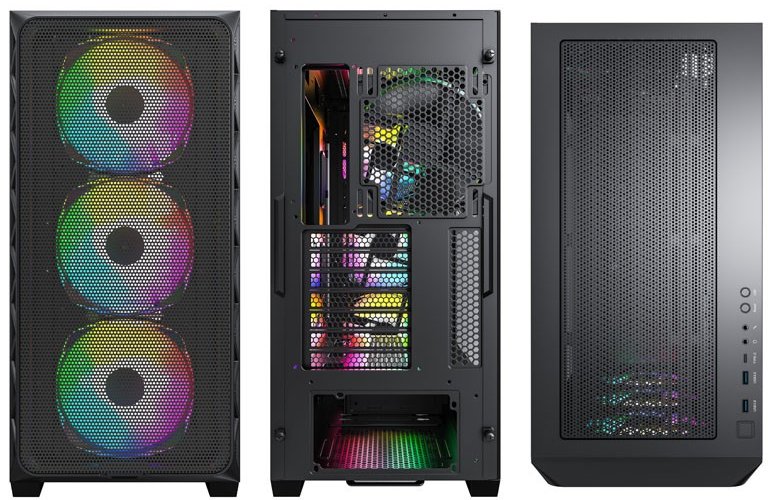
The Montech Air 903 MAX is the right case for this build. It offers better airflow, a better out-of-box experience, and a more complete feel than entry-tier cases. It supports micro-ATX and ATX motherboards, fits graphics cards up to 400mm, and ships with strong fan coverage out of the box.
MSI MAG A650BN 650W 80+ Bronze
The RX 9060 XT 16GB draws approximately 160W under load. The Ryzen 5 5600 draws around 65W. Total system draw under full gaming load sits well under 300W, which means 650W provides comfortable headroom for all GPU options plus room for future upgrades. The MSI MAG A650BN is a reliable unit with 80+ Bronze efficiency and two PCIe 6+2 pin connectors included. Do not cheap out on the PSU. A low quality unit that fails can damage everything else in the build.
Compatibility Checklist
All components in this build are fully compatible with each other. If you are building for the first time, the items below cover the most common compatibility concerns before you order.
- CPU and motherboard: The Ryzen 5 5600 uses the AM4 socket and is fully supported by the MSI PRO B550M-VC WIFI out of the box.
- Memory: The B550 board supports DDR4 only. Install the RAM in slots A2 and B2 for dual-channel performance.
- GPU installation: All GPU options use the standard PCIe x16 slot and require a single 8-pin PCIe power connector from the PSU.
- Case clearance: The Montech Air 903 MAX supports graphics cards up to 400mm long, which covers all GPU options in this build comfortably.
- Power supply: The 650W MSI unit covers all GPU options with headroom and includes the connectors needed for all three.
- Storage: The Samsung 990 EVO Plus installs in the primary M.2 slot on the B550 board. The second M.2 slot is available for future expansion.
Upgrade Path
This build is designed for strong 1080p gaming today with a clear path to more performance later.
- GPU upgrade: The largest single performance jump available. A stronger GPU on this same platform can take you to comfortable 1440p gaming when you are ready to make that move.
- Upgrade RAM to 32GB: 16GB covers this build well today. Moving to 32GB helps with newer titles and heavier multitasking as requirements increase.
- Add a second NVMe drive: The B550 board has a second M.2 slot ready when your game library outgrows 1TB.
- CPU cooler upgrade: The included Wraith Stealth is adequate at stock. A budget tower cooler like the Thermalright Peerless Assassin 120 SE reduces temperatures and noise if that matters to you.
Monitor Pairing
This build is designed for high refresh rate 1080p gaming. Pairing it with the right monitor lets you actually see the frame rates this system produces.
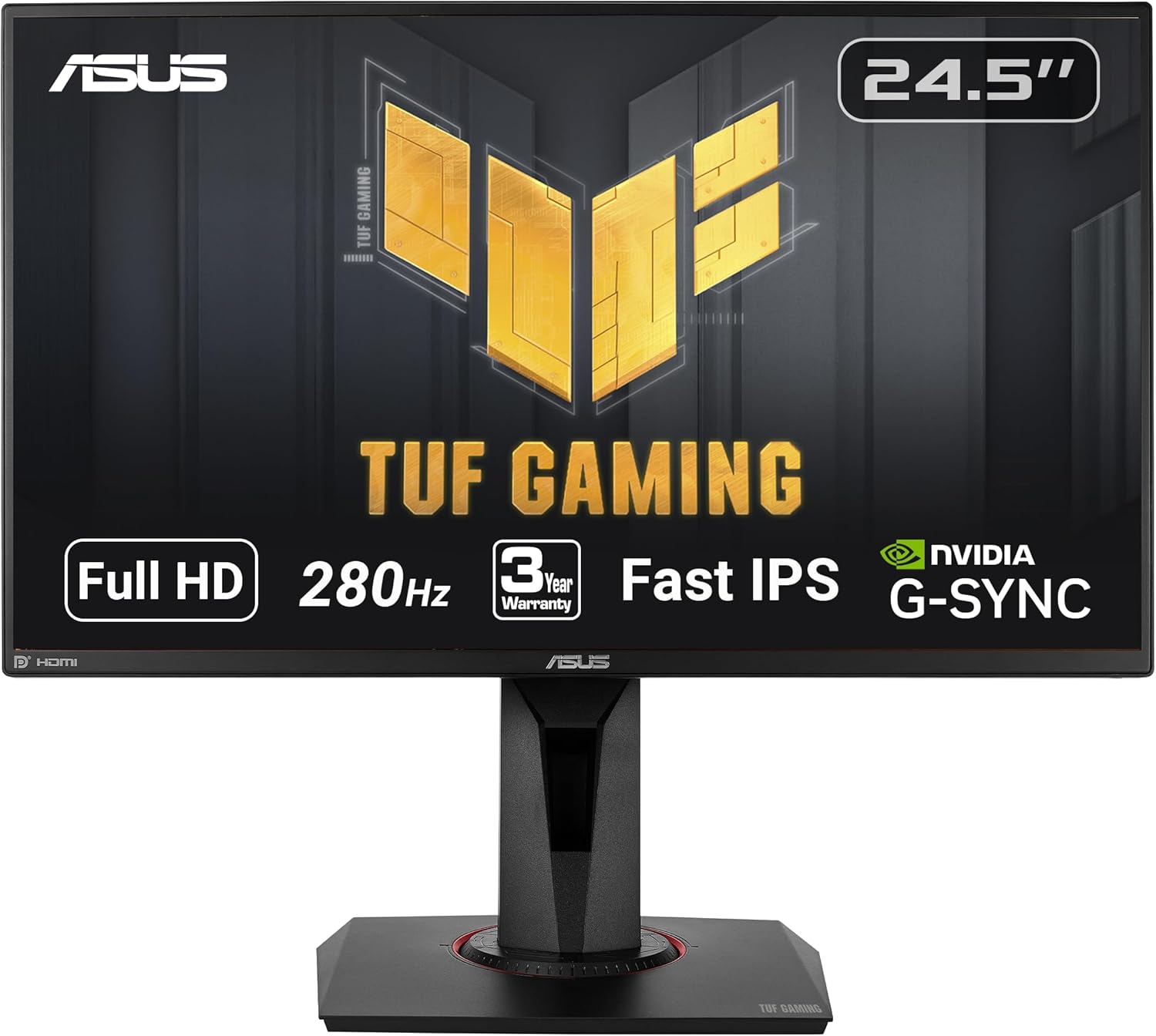
For most gamers, a 1080p monitor with at least 144Hz is the right match. Competitive players will get more out of 165Hz or 240Hz. If you are not sure which monitor makes the most sense for your GPU and the games you play, use the GPU Monitor Match Tool above to get a recommendation in seconds.
- See our picks for the Best 1080p Gaming Monitors 2026
- Looking for the most affordable option? See our Best Budget 1080p Gaming Monitors 2026
- Planning a future upgrade to 1440p? See our Should You Upgrade to 1440p Gaming in 2026 guide first, then our Best 1440p Gaming Monitors 2026 for display recommendations.
Frequently Asked Questions
Is $1000 enough for a 1080p gaming PC in 2026?
Yes. A well-planned $1000 gaming PC delivers excellent 1080p gaming performance in 2026. The extra budget goes toward 16GB of VRAM, which removes the texture-setting compromises that affect 8GB cards in a growing number of demanding titles.
Why is 16GB VRAM the primary recommendation at this tier?
At 1080p, 8GB is still sufficient in most games. But a growing number of demanding titles push past 8GB at high texture settings, causing stuttering. The 16GB card meaningfully reduces that concern and gives the build a better long-term ownership experience. At $1000, the budget creates room for the better long-term choice. For a full breakdown, see our How Much VRAM Do You Need for Gaming 2026 guide.
Can I still buy the 8GB GPU options at this budget?
Yes. If the 16GB card is overpriced or unavailable, the RX 9060 XT 8GB is the value fallback and the RTX 5060 Ti 8GB is the NVIDIA alternative. Both perform well at 1080p. You are giving up the VRAM headroom that defines this tier, but the build is still a strong 1080p system.
Can the Ryzen 5 5600 handle high FPS gaming?
Yes. The Ryzen 5 5600 delivers very strong frame rates in both competitive esports titles and modern AAA games. Six cores and twelve threads provide more than enough processing power to support all three GPU options in this build without creating a noticeable bottleneck.
How does this compare to the $800 1080p build?
The $800 build is the best value 1080p PC we would recommend. The $1000 build is the one we would rather own over the long term. The difference comes down to VRAM headroom, a better case, and fewer compromises in demanding AAA games. If $800 is your ceiling, that build delivers real gaming performance. If you have room to spend $1000, this build is meaningfully better to live with. See our Best $800 Gaming PC Build for 1080p 2026 for the direct comparison.
Should I build for 1080p or 1440p at $1000?
1080p is still the most practical resolution for competitive gaming because it allows very high frame rates on midrange hardware. If you prefer sharper visuals and plan to play more AAA single-player titles, 1440p is a meaningful upgrade. See our Best $1000 Gaming PC Build for 1440p 2026 for a direct comparison, or our 1440p vs 4K Gaming 2026 guide if you are thinking further ahead.
Final Verdict
This $1000 build is the 1080p gaming PC we would rather own over the long term.
It does not dramatically outpace 8GB alternatives in every game. What it does is avoid the texture-related compromises that are starting to matter more in demanding AAA titles. The RX 9060 XT 16GB handles those situations cleanly, without asking you to manage settings, and that matters more over time, not less.
The Montech Air 903 MAX is exactly the kind of upgrade this price tier should deliver. The build feels less compromised from day one and stays comfortable longer.
If you want fewer compromises, better AAA comfort, and a system that stays comfortable longer, this is the right build. The extra $200 is well spent.
More From LoadedRig
- Best $800 Gaming PC Build for 1080p 2026
- Best $1,000 Gaming PC Build for 1440p 2026
- GPU Tier List 2026: Which Graphics Card Do You Actually Need?
- Best $1,500 Gaming PC Build for 1440p 2026
- Best $2,000 Gaming PC Build for 1440p/4K 2026
- Best GPUs for 1080p Gaming 2026
- Best 1080p Gaming Monitors 2026
- Best Budget 1080p Gaming Monitors 2026