
Last updated: April 2026
Some links on this page are affiliate links. If you buy through them we may earn a small commission at no extra cost to you.
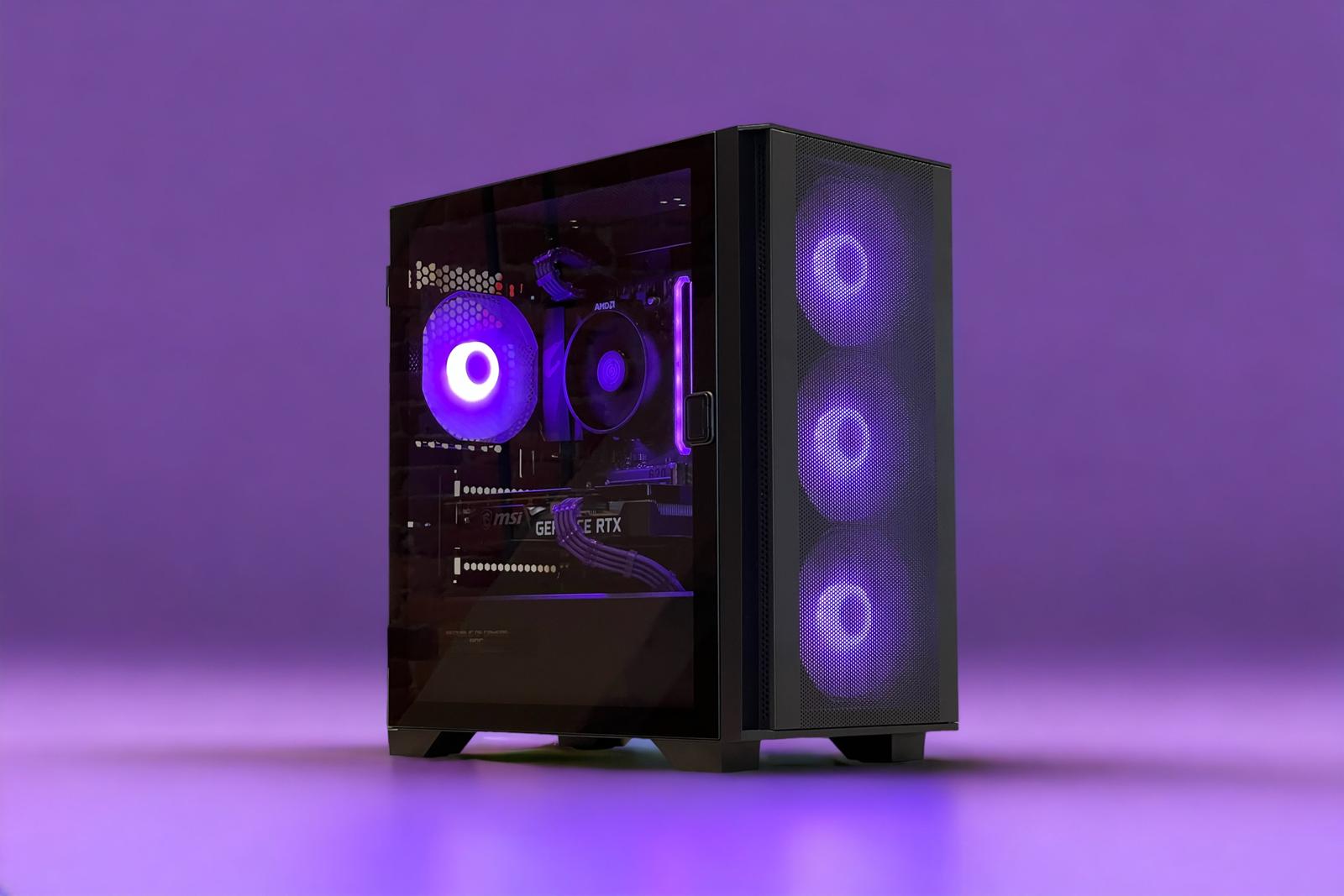
If you are looking for the best $1500 gaming PC build for 1440p in 2026, this configuration is designed to deliver high frame rates, strong visual quality, and a platform that remains upgradeable for years. At this budget level the goal is not just building a system that runs games well today, but one that stays relevant as new hardware and more demanding titles continue to arrive.
The biggest challenge with a $1500 gaming PC build is allocating the budget correctly. Spending too much on premium platform components can weaken the graphics card, while choosing the wrong GPU can limit the system’s ability to fully take advantage of a 1440p monitor. This build focuses on the parts that have the greatest impact on gaming performance while still keeping the platform modern and upgrade friendly.
If your goal is smooth 1440p gameplay, strong performance in modern AAA games, and a system that leaves room for future upgrades, this is one of the most balanced ways to build a $1500 gaming PC in 2026.
On This Page
- Build at a Glance
- Who This Build Is For
- Why $1500 Is the Sweet Spot for 1440p Gaming
- Why AM5 at $1500?
- Full Parts List
- Performance Snapshot
- Expected Gaming Performance
- Price Check Rules
- Why These Parts
- Compatibility Checklist
- Upgrade Path
- Monitor Pairing
- Frequently Asked Questions
- Final Verdict
Best $1500 Gaming PC Build for 1440p (2026): At a Glance
- Target Resolution: 1440p High / Ultra
- Ideal For: Modern AAA games and high refresh rate multiplayer titles
- Frame Rate Goal: 100+ FPS in AAA, 165+ FPS in competitive titles
- VRAM Tier: 16GB baseline for modern 1440p gaming
- Platform: AMD AM5 with DDR5 memory
- Upgrade Flexibility: Strong CPU and GPU upgrade path on AM5
Who This Build Is For
This build is designed for gamers who want a system that can comfortably handle modern games at 1440p while still leaving room for future upgrades. If you are pairing your PC with a 1440p monitor in the 144Hz to 165Hz range, this configuration provides the GPU power and system balance needed to take full advantage of that display.
Compared to entry-level gaming builds, the $1500 tier allows a stronger graphics card, more memory, and a modern platform without forcing major compromises. This means smoother gameplay in demanding single-player titles like Cyberpunk 2077 or Starfield, while still delivering high frame rates in multiplayer games such as Call of Duty, Fortnite, Apex Legends, and Valorant.
If you want a system that prioritizes real gaming performance, avoids unnecessary platform spending, and gives you a clear upgrade path for the future, this build hits one of the best balance points available in the PC market right now.
Why $1500 Is the Sweet Spot for 1440p Gaming
The $1500 budget tier unlocks a level of hardware that allows 1440p gaming to truly shine. While a $1000 system can run many games at this resolution, the higher budget provides enough headroom to include a stronger GPU, more system memory, and a newer platform without sacrificing performance. If you are stepping up from a smaller budget, see our Best $1000 Gaming PC Build for 1440p 2026 to compare how the extra budget changes the GPU tier and platform.
At lower budgets you often have to choose between platform longevity and GPU strength. Around the $1500 range it becomes possible to build a balanced system that includes both a powerful graphics card and a modern platform. That balance is what makes this tier so practical for 1440p gaming in 2026.
Why AM5 at $1500?
In our lower budget builds we recommend the AM4 platform because it keeps more of the budget available for the graphics card. At the $1500 level the budget is large enough to move to AMD’s newer AM5 platform without weakening the GPU. For a full breakdown of the platform tradeoffs, see our AM4 vs AM5 for Gaming 2026 guide.
AM5 brings DDR5 memory support and is designed to support multiple future Ryzen CPU generations. That means upgrading your processor later does not require replacing the motherboard or memory, which can significantly extend the lifespan of the system. Combined with a strong midrange graphics card, this platform provides both solid performance today and real flexibility for future upgrades.
Full Parts List (Updated April 2026)
The components below were selected to maximize real-world gaming performance at 1440p while keeping the total system cost close to the $1500 target. PC hardware pricing can fluctuate depending on GPU availability, memory pricing, and seasonal sales, so the final price of your system may land slightly above or below the target depending on current deals.
This build prioritizes the graphics card first because the GPU has the biggest impact on gaming performance at 1440p. The remaining components were chosen to support that GPU properly while maintaining platform longevity, strong compatibility, and a clear upgrade path.
1440p Performance Snapshot
The table below shows estimated FPS ranges for all three GPU options at 1440p on high settings without aggressive upscaling. The RX 9070 is the clear raster performance leader at this tier. The RTX 5070 trades raw performance for DLSS 4 and Frame Generation. The RX 9060 XT 16GB is the fallback option if primary GPU pricing spikes significantly.
| GPU | Warzone | Cyberpunk 2077 | Fortnite | Baldur’s Gate 3 | Starfield | Apex Legends |
|---|---|---|---|---|---|---|
| RX 9070 16GB | 140-170 FPS | 105-120 FPS | 195-235 FPS | 135-160 FPS | 90-105 FPS | 185-220 FPS |
| RTX 5070 12GB | 125-155 FPS | 85-100 FPS | 175-210 FPS | 120-145 FPS | 78-92 FPS | 170-200 FPS |
| RX 9060 XT 16GB | 115-140 FPS | 80-95 FPS | 160-190 FPS | 110-130 FPS | 70-85 FPS | 155-185 FPS |
Estimated ranges at 1440p high settings without aggressive upscaling. Actual performance will vary depending on CPU, RAM, driver version, and the specific game. The RTX 5070 numbers reflect native rasterization. DLSS 4 with Frame Generation can push frame rates significantly higher in supported titles.
Check Your Ideal 1440p Setup
Not sure what monitor pairs best with this build? Use our GPU Monitor Match Tool to find the right display for how you want to play.
Expected 1440p Gaming Performance
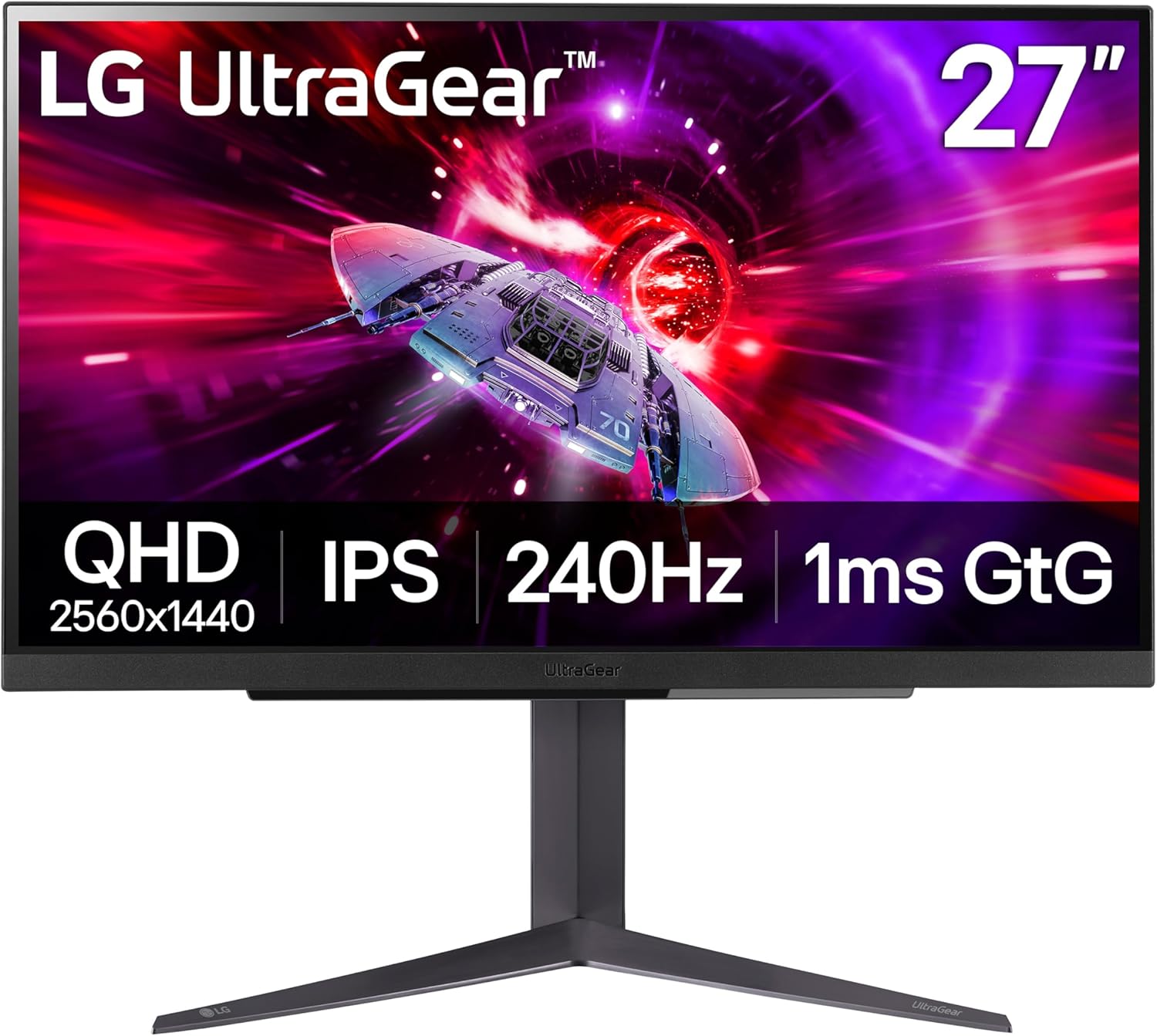
With the primary GPU recommended in this build, most modern games run at high or ultra settings at 1440p while maintaining strong frame rates. Competitive multiplayer titles push well above 144 FPS, making this system a strong match for 1440p monitors in the 165Hz range. For context on what those frame rate targets mean in practice, see our What Is a Good FPS for Gaming 2026 guide.
Competitive games such as Call of Duty, Fortnite, Apex Legends, Valorant, and Counter-Strike 2 can comfortably exceed 165 FPS at 1440p on high settings with the RX 9070. More demanding single-player titles like Cyberpunk 2077, Starfield, Elden Ring, and Baldur’s Gate 3 typically land between 90 and 120 FPS, with FSR or DLSS available to push higher if needed.
- Competitive titles: Comfortably above 144 FPS at 1440p on all three GPU options
- Modern AAA games: Typically 80-120 FPS at high settings with the RX 9070
- 16GB VRAM across all options: No texture quality compromises needed in any of the GPU options in this build
All three GPU options in this build include 16GB of VRAM, which means none of them face the texture ceiling that 8GB cards hit in demanding titles. For a full look at why that matters, see our How Much VRAM Do You Need for Gaming in 2026 guide.
Price Check Rules
PC component pricing can fluctuate frequently, especially for graphics cards. The rules below help you keep this build close to the $1500 target without sacrificing gaming performance.
- If the RX 9070 is significantly overpriced, the RTX 5070 is a reasonable alternative if you specifically want DLSS 4. If neither is reasonably priced, the RX 9060 XT 16GB is the fallback that still delivers solid 1440p performance.
- If DDR5 memory pricing spikes, you can temporarily run 16GB of DDR5 and upgrade to 32GB later using the remaining RAM slots.
- Starting with a 1TB NVMe drive is perfectly reasonable since the motherboard provides additional M.2 slots for future storage expansion.
- Always compare GPU prices at Amazon and Newegg before buying. Graphics card pricing can change week to week.
Why These Parts
Every component in this build was selected to maximize real gaming performance at 1440p while maintaining strong compatibility and long-term upgrade potential. The graphics card receives the largest portion of the budget because GPU power has the biggest impact on frame rates at 1440p. The remaining components are chosen to support that GPU properly while keeping the platform modern and upgradeable.
AMD Ryzen 5 7600
The Ryzen 5 7600 is one of the strongest value gaming CPUs on the AM5 platform. It delivers six Zen 4 cores and twelve threads with excellent single-thread performance, which is what matters most for gaming frame rates. At 1440p most games are primarily GPU limited, making the 7600 an ideal fit: it provides more than enough CPU performance without consuming budget that should go toward the graphics card. The AM5 platform also supports future Ryzen processors, meaning a CPU upgrade later does not require replacing the motherboard or memory as the platform ages.
GPU: The Most Important Component at 1440p
The graphics card determines the majority of gaming performance at 1440p. For a full look at how these cards fit into the broader GPU landscape, see our GPU Tier List 2026.
AMD Radeon RX 9070 16GB (Primary Pick)
The RX 9070 is the strongest recommendation at this tier for rasterization performance. Independent benchmark testing from Tom’s Hardware and GamersNexus confirms it outperforms the RTX 5070 by around 8-15% at 1440p in most rasterized titles, while matching or beating it in Starfield specifically by a wider margin. It comes with 16GB of VRAM, which removes the texture pressure that plagues 8GB and 12GB cards in demanding modern titles, and its power draw of around 220-224W makes it efficient relative to its performance level.
This is also the primary GPU in our $1500 build because it hits the right balance: strong enough to push 165Hz 1440p in competitive titles, capable at ultra settings in AAA games, and reasonably priced relative to what it delivers.
NVIDIA GeForce RTX 5070 12GB (NVIDIA Alternative)
The honest picture on the RTX 5070: in native rasterization it generally trails the RX 9070 at 1440p, and its 12GB VRAM buffer is a real limitation compared to the 16GB options in this build, particularly in ray-traced workloads where some titles expose the constraint badly. What the RTX 5070 does offer is DLSS 4 and Multi Frame Generation, which can meaningfully boost frame rates in supported titles and may matter if you play a lot of games in that ecosystem.
Choose the RTX 5070 if you specifically want NVIDIA’s feature stack, stream regularly and rely on NVENC, or play titles where DLSS 4 provides a meaningful advantage. If your priority is raw raster performance per dollar, the RX 9070 is the better recommendation. For a detailed head-to-head between the two, see our RX 9070 XT vs RTX 5070 comparison.
AMD Radeon RX 9060 XT 16GB (Fallback Option)
If pricing on the RX 9070 spikes significantly, the RX 9060 XT 16GB remains a solid fallback. It delivers strong 1440p performance and the 16GB VRAM keeps the build capable for modern titles without texture quality compromises. It sits roughly one tier below the RX 9070 in raw performance, but it is a meaningful step up from what the $1000 builds offer.
ASRock B650 Pro RS WiFi
The ASRock B650 Pro RS WiFi gives you everything needed for a capable AM5 build without overspending on the platform. AM5 socket support, DDR5 compatibility, PCIe 4.0 for the GPU and NVMe drives, built-in Wi-Fi, and multiple M.2 slots for storage expansion. The B650 chipset is well suited for the Ryzen 5 7600 and leaves the door open for future Ryzen CPU upgrades without a board replacement.
G.Skill Flare X5 32GB DDR5-6000 CL30
DDR5-6000 CL30 is the performance sweet spot for Ryzen processors on AM5. It maximizes memory bandwidth and minimizes latency without requiring expensive higher-speed kits. 32GB ensures comfortable headroom for modern games, background applications, and multitasking. It is worth noting that DDR5 pricing has been significantly elevated through 2025 and into 2026 due to AI-driven memory demand. Check current pricing before ordering, as this can be one of the more volatile components in the build right now.
Samsung 990 EVO Plus 1TB NVMe
1TB is the practical minimum for a modern gaming PC. Many current titles exceed 100GB, so smaller drives fill up quickly. The Samsung 990 EVO Plus is a fast, reliable PCIe 4.0 NVMe drive that delivers quick load times and strong real-world responsiveness. The ASRock B650 Pro RS WiFi includes multiple M.2 slots, making storage expansion simple later. For a deeper look at SSD options, see our Best SSDs for Gaming 2026 guide.
Montech Air 903 MAX
The Montech Air 903 MAX offers excellent airflow at a reasonable price. Multiple included fans and a mesh front panel keep GPU temperatures under control during longer gaming sessions. Good airflow is especially important in GPU-focused builds because modern graphics cards generate significant heat under sustained load, and thermal throttling can quietly reduce the performance you paid for.
Corsair RM750e 750W 80+ Gold
A reliable power supply is essential for system stability. The Corsair RM750e provides enough power for all three GPU options in this build while leaving comfortable headroom for future upgrades. It carries an 80+ Gold efficiency rating, uses a modern ATX 3.0 design, and delivers stable power under demanding gaming workloads. Avoid cutting costs on the PSU. It is the one component that can damage everything else in the system if it fails.
Compatibility Checklist
The components in this build are fully compatible with each other. The checklist below covers the most important things to verify before ordering.
- CPU and motherboard: The Ryzen 5 7600 uses the AM5 socket and is fully supported by B650 motherboards like the ASRock B650 Pro RS WiFi.
- Memory compatibility: Ryzen 7000 processors require DDR5 memory. This build uses 32GB of DDR5-6000, the recommended speed for Ryzen gaming performance on AM5.
- GPU clearance: The Montech Air 903 MAX supports large graphics cards and easily accommodates the RX 9070 and RTX 5070 options in this build.
- Power supply capacity: The 750W PSU provides comfortable headroom for all three GPU options with room for future upgrades.
- Storage expansion: The B650 motherboard includes multiple M.2 slots, making it easy to add more NVMe storage later without replacing the original drive.
Upgrade Path
This build is designed to deliver excellent 1440p gaming performance today while leaving room for meaningful upgrades later. If you decide to improve the system in the future, the order below provides the biggest performance improvements.
- GPU upgrade: The graphics card always provides the largest gaming performance improvement. Moving to a higher-tier GPU later can extend the life of this system significantly, especially if you eventually target 4K gaming.
- CPU upgrade: The AM5 platform supports future Ryzen processors, allowing a drop-in CPU upgrade without replacing the motherboard or memory.
- Add more storage: Modern games are large. Adding another NVMe SSD is straightforward thanks to the extra M.2 slots on the motherboard.
- Improve cooling: While the stock Wraith Stealth cooler handles the Ryzen 5 7600 at stock speeds, a budget tower cooler can reduce temperatures and noise during long gaming sessions.
Monitor Pairing
This system is designed specifically for high refresh rate 1440p gaming. Pairing it with the right monitor ensures you can see the frame rates this GPU is capable of producing. For most gamers, a 1440p monitor with at least a 144Hz refresh rate is the ideal match. Competitive players may prefer 165Hz or 180Hz displays to fully take advantage of the frame rates the RX 9070 can produce in esports titles.
Not sure which monitor makes the most sense for your GPU? Use the GPU Monitor Match Tool above to get a recommendation in seconds.
- See our picks for the Best 1440p Gaming Monitors 2026
- Looking for a more affordable display? See our Best Budget 1440p Gaming Monitors 2026
- Thinking about 4K? See our 1440p vs 4K Gaming 2026 guide before upgrading your monitor
Frequently Asked Questions
Is $1500 enough for a strong 1440p gaming PC in 2026?
Yes. A carefully planned $1500 gaming PC delivers excellent 1440p performance in 2026. By focusing the budget on the RX 9070 and pairing it with a capable AM5 processor, this system runs most modern games at high settings while pushing well above 144 FPS in competitive titles.
Can this build run 1440p at 165Hz?
Yes, in most titles. Competitive games like Fortnite, Apex Legends, Valorant, and Call of Duty comfortably exceed 165 FPS at 1440p on high settings with the RX 9070. More demanding AAA titles will sit below that target, typically between 90 and 120 FPS depending on the game and settings used.
Is the RX 9070 better than the RTX 5070 for 1440p gaming?
For native rasterization at 1440p, yes. The RX 9070 outperforms the RTX 5070 by around 8-15% in most tested titles while also offering 16GB of VRAM versus the 5070’s 12GB. The RTX 5070’s advantage is DLSS 4 and Frame Generation, which can boost frame rates significantly in supported games. If raw raster performance per dollar is your priority, the RX 9070 is the stronger recommendation at this price point.
Should I build for 1440p or 4K gaming?
1440p is the better choice at this budget. The RX 9070 is an excellent 1440p GPU but would need upscaling to hit comfortable frame rates at 4K in demanding titles. If 4K is your goal, a $2000 or higher build gives you the GPU headroom to do it properly. See our 1440p vs 4K Gaming 2026 guide for a full breakdown of the tradeoffs.
How long will this build last for 1440p gaming?
With the RX 9070 and 16GB of VRAM, this system should deliver strong 1440p performance for four to six years at high settings. The AM5 platform also gives you room to upgrade the CPU later without replacing the motherboard, which extends the system’s useful life further.
Final Verdict
A well-balanced $1500 gaming PC delivers excellent 1440p performance in 2026 when the budget is focused on the right components. The RX 9070 16GB is the GPU we would feel most comfortable recommending at this tier. It outperforms the RTX 5070 in native rasterization, comes with 16GB of VRAM, and delivers the kind of 1440p performance that makes this build feel appropriately matched to a 165Hz monitor.
The Ryzen 5 7600 and AM5 platform keep the system modern and upgrade-friendly, while the 32GB of DDR5-6000 ensures the build stays comfortable as game requirements increase. If you specifically want NVIDIA features, the RTX 5070 is a reasonable alternative, but go in knowing the raster performance tradeoff is real.
For gamers building a new system or upgrading from older hardware, this configuration offers one of the most practical ways to achieve excellent 1440p gaming performance without pushing into much higher budget tiers. If you want to see what the next step up looks like, see our Best $2000 Gaming PC Build for 1440p/4K 2026.