
Last updated: March 2026
Some links on this page are affiliate links. If you buy through them we may earn a small commission at no extra cost to you.
If you are building or upgrading a gaming PC in 2026, 1440p is still the sweet spot for most gamers. It looks noticeably sharper than 1080p, is much easier to drive than 4K, and gives you access to high refresh rates without requiring flagship-level hardware. That balance is exactly why the best 1440p gaming monitors are now the most competitive category in the market.
We went through the current lineup to find the best 1440p gaming monitors for different types of buyers, including OLED, IPS, budget HDR, competitive high-refresh, and 32-inch options. Whether you want the best overall monitor, the best value pick, or the right refresh-rate tier for your GPU, this guide points you to the monitors that actually make sense in 2026.
On This Page
- Quick Picks
- 1440p Monitor Comparison
- 144Hz vs 180Hz vs 240Hz vs 360Hz+
- Panel Types Explained
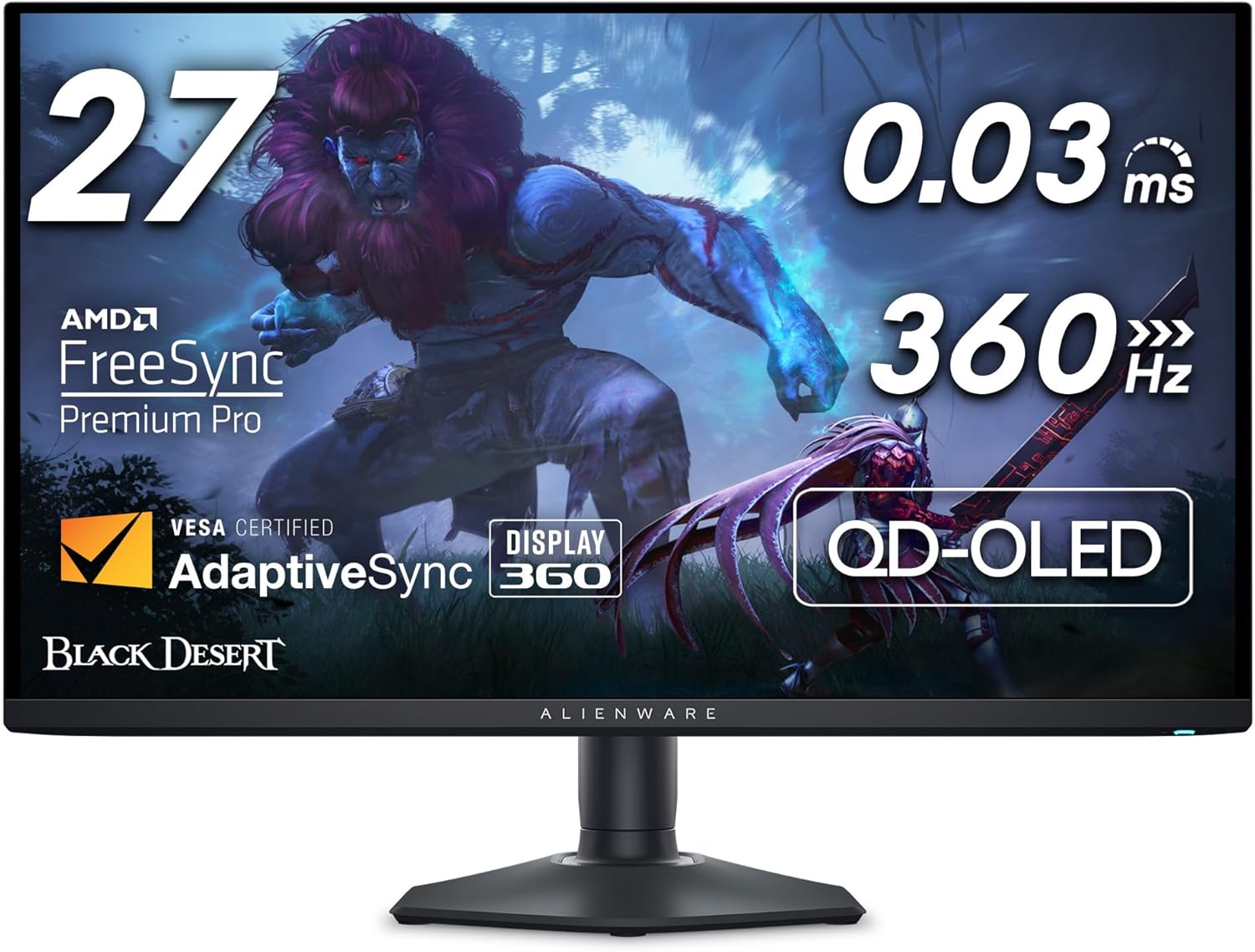
- Best Overall: Dell Alienware AW2725DF
- Best Premium OLED: MSI MPG 271QRX QD-OLED
- Best Competitive: LG 27GX790B-B
- Best Budget HDR: AOC Q27G3XMN
- Best Budget IPS: LG 27GR83Q-B
- Best 32-Inch: Samsung Odyssey G65D
- How to Choose the Right 1440p Monitor
- GPU Pairing for 1440p Monitors
- Common OLED Questions
- Frequently Asked Questions
- Final Verdict
Best 1440p Gaming Monitors: Quick Picks
1440p Monitor Comparison
| Monitor | Panel | Refresh Rate | Best For | Price Tier |
|---|---|---|---|---|
| Dell Alienware AW2725DF | QD-OLED | 360Hz | Best Overall | Premium |
| MSI MPG 271QRX QD-OLED | QD-OLED | 360Hz | Best Premium OLED | Premium |
| LG 27GX790B-B | Tandem WOLED | 540Hz | Best Competitive | Flagship |
| AOC Q27G3XMN | VA Mini-LED | 180Hz | Best Budget HDR | Under $300 |
| LG 27GR83Q-B | IPS | 240Hz | Best Budget IPS | Under $300 |
| Samsung Odyssey G65D | VA | 240Hz | Best 32-Inch | Mid-Range |
Quick takeaway: If you want the best all-around 1440p gaming monitor, buy the Dell Alienware AW2725DF. If you want the best budget HDR pick, buy the AOC Q27G3XMN. If you care most about competitive gaming and extremely high refresh rates, the LG 27GX790B-B is the top choice.
144Hz vs 180Hz vs 240Hz vs 360Hz+ at 1440p
If you are not sure which refresh rate tier actually makes sense at 1440p, this is the simplest way to think about it. For most gamers, the sweet spot is somewhere between 144Hz and 240Hz. That range feels clearly smoother than 60Hz or 120Hz, but it does not demand the extreme hardware needed to fully justify a 360Hz or 540Hz panel.
144Hz to 180Hz: Best for most players. This is the right tier for mixed gaming, including AAA single-player titles and multiplayer shooters. It is easier to drive, easier on your GPU budget, and still delivers a genuinely smooth experience at 1440p.
240Hz: The strongest mainstream high-refresh target. Worth it for players who spend a lot of time in competitive games and want faster motion clarity without jumping into extreme monitor pricing. If your GPU can regularly push well above 144 FPS, 240Hz makes sense.
360Hz and above: Competitive niche. These monitors are for players who consistently push very high frame rates in games like CS2, Valorant, Apex Legends, and Overwatch 2. If you are not regularly approaching those numbers, the extra refresh rate is mostly wasted.
If you are still deciding what frame rate actually counts as good for your setup, read our What Is a Good FPS for Gaming in 2026? guide before choosing a monitor tier.
Panel Types Explained: IPS vs VA vs QD-OLED vs WOLED
Before we get into the picks, it is worth a quick breakdown of panel types. They affect everything about how a monitor looks, how it handles motion, and what tradeoffs you are accepting.
IPS (In-Plane Switching): The standard workhorse of the gaming monitor market. Accurate colors, wide viewing angles, and fast response times. The main weakness is contrast. A typical IPS delivers around 1,000:1, meaning blacks look like dark gray in a dim room. It cannot produce real HDR performance because the backlight cannot dim precisely enough.
VA (Vertical Alignment): VA panels flip the equation. Native contrast ratios of 3,000:1 to 4,500:1 mean genuinely deep blacks and much better HDR potential. The tradeoff is response time. VA panels tend to smear darker objects during fast motion, a problem known as dark smearing. The AOC Q27G3XMN adds a Mini-LED backlight on top of VA, which pushes HDR performance to a completely different tier.
QD-OLED (Quantum Dot OLED): Each pixel produces its own light and can shut off completely for true blacks and infinite contrast. The quantum dot layer adds vivid, saturated color and strong peak brightness. QD-OLED panels use a triangular subpixel layout, which means small text can appear slightly fringed up close. In gaming this is essentially invisible, but worth knowing if you do heavy text work on the same monitor.
WOLED (White OLED): LG’s OLED technology. Like QD-OLED it delivers true blacks and infinite contrast, but uses a standard RGB subpixel stripe for cleaner text rendering. The LG 27GX790B-B uses LG’s 4th generation Tandem WOLED, which layers two OLED panels to achieve higher brightness than prior generations. The practical gaming difference between QD-OLED and WOLED is small. Both are dramatically better than any LCD for contrast and motion clarity.
Best Overall: Dell Alienware AW2725DF
The Dell Alienware AW2725DF is the pick we would send most readers to without hesitation. It uses Samsung’s QD-OLED panel at 360Hz and sits at the most accessible price point of any QD-OLED on this list. Absolute blacks, infinite contrast, vivid color, and near-instant pixel response times make fast motion look sharper than any LCD regardless of its refresh rate. Gaming at 360Hz with VRR on this panel is a fundamentally different experience from even a high-end IPS display.
HDMI bandwidth: The port is advertised as HDMI 2.1 but Dell uses HDMI 2.0 (TMDS) bandwidth. This is misleading marketing that independent reviewers have confirmed. For PC gaming over DisplayPort it is a non-issue. For console gamers who want 1440p 120Hz with VRR over HDMI, this monitor is not the right fit.
Cooling fan: The AW2725DF has an internal fan to manage OLED panel temperatures. It is barely audible during normal use, but noticeable in a very quiet room.
VRR flicker: Present, as it is on all OLEDs. It shows up when frame rates shift suddenly, most commonly in menus or games with inconsistent frame pacing. For most players it is a background annoyance rather than a deal breaker.
Who should skip this: Console gamers who need real HDMI 2.1 bandwidth. For that use case, the MSI MPG 271QRX below is the better fit.
Best Premium OLED: MSI MPG 271QRX QD-OLED
The MSI MPG 271QRX QD-OLED uses the same Samsung QD-OLED panel as the Dell AW2725DF and delivers identical picture quality and 360Hz gaming performance. The premium over the Dell buys you three specific things that matter to the right buyer.
Real HDMI 2.1: Full 48Gbps bandwidth. Works properly with PS5 and Xbox Series X at 1440p 120Hz with VRR. The Dell cannot match this.
USB-C with 90W power delivery: Run a laptop over a single cable with full video and charging. Useful if your desk doubles as a workstation.
Built-in KVM switch: Control two computers with one keyboard and mouse without unplugging anything. If you run a dual-machine setup, this alone is worth the price difference.
3-year burn-in warranty: MSI backs this panel against burn-in for three years, which removes the risk entirely for the ownership period.
Fanless design: Uses a graphene film and passive heatsink instead of active cooling. Zero fan noise.
Who should skip this: Anyone who does not need HDMI 2.1, USB-C, or KVM. The Dell saves meaningful money for identical picture quality and gaming performance.
Best Competitive Gaming Monitor: LG 27GX790B-B
The LG 27GX790B-B currently holds the top spot on RTings’ 1440p gaming monitor rankings and is the most technically advanced display on this list. If you are serious about competitive gaming and your hardware can back it up, this is the monitor.
Panel: LG’s 4th generation Primary RGB Tandem WOLED. 540Hz native at 1440p, with a dual-mode feature that switches to 720Hz at 720p. Nothing else on the market comes close on raw speed.
Brightness: 335 nits typical SDR, up to 1,500 nits peak HDR. The Tandem OLED structure makes this the brightest OLED gaming monitor LG has produced.
Connectivity: DisplayPort 2.1, dual HDMI 2.1, USB-C. The best-connected monitor on this list.
The vast majority of gamers will not benefit from 540Hz. To see a real advantage over 360Hz you need to consistently produce over 360 frames per second, which requires both a top-tier GPU and a game that runs that fast. Where 540Hz makes a genuine difference is in esports titles like CS2, Valorant, Apex Legends, and Overwatch 2. If that describes your setup and your games, this monitor is worth every dollar.
Who should skip this: Anyone who does not consistently exceed 360 FPS in their primary games. The Dell AW2725DF delivers 95 percent of the experience at a significantly lower price.
Best Budget HDR Monitor: AOC Q27G3XMN
The AOC Q27G3XMN is the most surprising monitor on this list. At its price point it delivers HDR performance that competes with monitors costing two to three times as much. RTings gives it an 8.2 PC Gaming score and multiple outlets have consistently named it the top budget HDR pick.
Why it punches above its price: 336-zone Mini-LED full array local dimming backlight paired with a VA panel that already has roughly 4,300:1 native contrast. The result is around 1,300 nits peak HDR brightness with DisplayHDR 1000 certification and 96 percent DCI-P3 color coverage. In a dark room playing a cinematic single-player game, this monitor looks and feels very different from a typical budget display.
Refresh rate: 180Hz. If competitive gaming is your primary use case, the LG 27GR83Q-B below at 240Hz is the better fit.
Dark smearing: VA technology produces smearing on fast-moving objects in dark scenes. Manageable for most gamers, but noticeable in fast-paced titles if you are sensitive to it.
Connectivity: HDMI 2.0 only, capped at 144Hz over HDMI. No USB-C. One DisplayPort 1.4.
Who should skip this: Competitive FPS players who prioritize high refresh rate and extremely clean motion over HDR and contrast. The LG 27GR83Q-B is the better fit.
Best Budget IPS Monitor: LG 27GR83Q-B
The LG 27GR83Q-B is the pick for budget buyers who prioritize fast, clean motion over HDR and contrast. It is a 27-inch IPS panel running at 240Hz, and what sets it apart from similarly priced monitors is its connectivity.
Dual HDMI 2.1 ports: Full bandwidth over both HDMI and DisplayPort. At this price most competitors use HDMI 2.0. LG did not. That matters for PC users with current-gen graphics cards and for console players who want proper 1440p 120Hz with VRR from a PS5 or Xbox Series X. The monitor can also downscale a 4K 120Hz console signal.
Ergonomics: Fully adjustable stand covering height, tilt, pivot, and VESA mounting. Dual USB 3.0 hub built in. Supports hardware calibration through LG’s True Color Pro software.
Contrast: Around 1,000:1, typical IPS. Blacks appear noticeably gray in a dark room. HDR400 certification is largely nominal rather than real HDR performance.
Who should skip this: Anyone who primarily games in a dark room or plays immersive single-player titles where contrast and HDR make a visible difference. The AOC Q27G3XMN delivers a much stronger picture in those conditions.
Best 32-Inch 1440p Monitor: Samsung Odyssey G65D
We want to be direct about the 32-inch 1440p category before recommending anything: it is the weakest slot in the current 1440p market. At 32 inches with a 1440p panel you drop to roughly 91 pixels per inch, noticeably softer than the 109 PPI you get at 27 inches. If you have flexibility on screen size, 27 inches is the stronger choice in 2026.
That said, if 32 inches is what you want, the Samsung Odyssey G65D is the best available option in the category.
Panel and HDR: 240Hz VA with DisplayHDR 600 certification. Meaningfully better HDR than standard IPS at this price, though nowhere near OLED levels.
Smart OS: Built-in Tizen with Gaming Hub. Lets you stream games or run apps without a PC connected. A genuine differentiator for living room or standalone setups.
VRR flicker: Confirmed and recurring. Samsung’s VRR Control option reduces flicker but introduces micro-stuttering in exchange. Neither setting is fully clean.
Availability: The G65D is sometimes a Best Buy exclusive variant. Check current availability before committing.
Who should skip this: Anyone with flexibility on screen size. The Dell AW2725DF is a 27-inch OLED that outperforms this monitor in almost every measurable way.
How to Choose the Right 1440p Monitor
You play competitive FPS and have a high-end GPU: The LG 27GX790B-B if you consistently exceed 360 FPS. If you are below that threshold or budget is a factor, the Dell AW2725DF covers you extremely well.
You play a mix of AAA single-player and multiplayer: The Dell AW2725DF. 360Hz OLED handles fast games with clarity and infinite contrast makes single-player games look genuinely excellent. The most versatile pick on this list.
You connect a console and a PC to the same monitor: The MSI MPG 271QRX. Real HDMI 2.1 bandwidth and a built-in KVM switch make it the right call for dual-input setups.
Budget is limited and you play immersive single-player games: The AOC Q27G3XMN. Best HDR and contrast at the budget tier, especially in a dark room.
Budget is limited and you play competitive multiplayer: The LG 27GR83Q-B. 240Hz, clean motion, and proper HDMI 2.1 for console compatibility.
You want a bigger screen: The Samsung Odyssey G65D, but read the caveats above carefully. The 27-inch OLED picks offer better performance per dollar.
GPU Pairing for 1440p Monitors
The monitor you choose should match what your GPU can actually deliver. There is little point buying a 360Hz panel if your graphics card cannot approach those frame rates in the games you play.
Budget monitors at 180Hz to 240Hz: Mid-range cards like the RX 9060 XT or RTX 5060 Ti are well matched to the AOC Q27G3XMN and LG 27GR83Q-B. These cards can push 180 to 240 FPS in competitive titles and deliver smooth performance in AAA games at 1440p medium to high settings.
360Hz OLED monitors: Push toward a higher-end GPU to take full advantage. Cards like the RX 9070 XT or RTX 5070 can keep frame rates in the 200 to 360 range in many competitive titles.
540Hz OLED (LG 27GX790B-B): To benefit from refresh rates this high you need a top-tier GPU and games capable of extremely high frame rates. Esports titles like CS2, Valorant, and Overwatch are where monitors like this actually make sense.
For full build recommendations matched to 1440p gaming, see our Best $1500 Gaming PC Build for 1440p (2026) and Best $2000 Gaming PC Build for 1440p / 4K (2026).
If you are still choosing a graphics card, see our guides to the Best GPUs for 1440p Gaming (2026) and Best GPUs for 1080p Gaming (2026) to find the right card for your target resolution and refresh rate.
If you are targeting a 144Hz or 240Hz 1440p monitor and are not sure whether your current graphics card makes sense for it, start with our Best GPUs for 1440p Gaming (2026) guide. If you want a quicker answer, use the GPU Monitor Match Tool to pair your GPU and monitor tier correctly.
Common OLED Questions
Is OLED burn-in a real concern?
Burn-in is a real phenomenon but a much smaller practical risk than its reputation suggests on modern panels. It typically requires thousands of hours displaying the same static content at high brightness. For gaming with varied content, most users will not encounter burn-in within several years of normal use. Modern OLED monitors include pixel refresh and pixel shift systems that further reduce risk, and models like the MSI MPG 271QRX include a three-year burn-in warranty.
What is VRR flicker?
VRR flicker is a brightness fluctuation that can occur when frame rates change rapidly. It is most noticeable in menus or games with inconsistent frame pacing. Some people notice it immediately while others rarely see it. In most real gameplay situations it is a minor annoyance rather than a serious issue.
Does QD-OLED text look blurry?
QD-OLED panels use a triangular subpixel layout instead of the standard RGB stripe. This can cause slight text fringing when viewing small fonts very closely. In gaming it is effectively invisible, but users doing heavy productivity work sometimes prefer WOLED or IPS panels.
Is OLED worth the price?
For gaming, in most cases yes. OLED panels deliver perfect blacks, extremely fast response times, and dramatically higher contrast than traditional LCD monitors. If OLED is outside your budget, Mini-LED displays like the AOC Q27G3XMN provide the closest LCD alternative.
Frequently Asked Questions
What refresh rate is best for a 1440p gaming monitor?
For most gamers, 144Hz to 240Hz is the best range. 144Hz and 180Hz are ideal for mixed gaming and give you a smooth experience without demanding extreme hardware. 240Hz is the better fit for competitive players with a GPU capable of consistently high frame rates. 360Hz and above only make sense if you are focused on esports titles and regularly push very high FPS.
Is 240Hz enough for 1440p gaming?
For most players, yes. The jump from 144Hz to 240Hz is noticeable, while the jump from 240Hz to 360Hz is much smaller. Only highly competitive players consistently pushing extremely high frame rates will benefit from the highest refresh tiers.
Do these monitors work with PS5 and Xbox Series X?
The MSI MPG 271QRX, LG 27GX790B-B, LG 27GR83Q-B, and Samsung Odyssey G65D support proper HDMI 2.1 bandwidth for 1440p 120Hz console gaming with VRR. The Dell AW2725DF uses HDMI 2.0 bandwidth, and the AOC Q27G3XMN also relies on HDMI 2.0.
Is 27 inches the best size for 1440p?
For most desks and viewing distances, yes. A 27-inch 1440p monitor produces about 109 pixels per inch, creating a sharp image without requiring scaling. Larger 32-inch 1440p panels drop to around 91 PPI and appear noticeably softer.
How often do monitor prices change?
Frequently. The OLED gaming monitor market in particular has seen rapid price movement as new models launch and competition increases. Sales events and retailer promotions can shift pricing significantly within weeks, so always check current prices before ordering.
Final Verdict
If you want the best overall 1440p gaming monitor in 2026, the Dell Alienware AW2725DF is the easiest recommendation for most buyers. It delivers OLED contrast, near-instant response times, and a 360Hz refresh rate in a package that is now far more accessible than earlier OLED monitors.
If you want the best balance of performance and value, focus on 144Hz to 240Hz at 27 inches. That is still the sweet spot for most 1440p setups in 2026. Competitive players chasing maximum refresh rates should look at the LG 27GX790B-B, while budget buyers who care more about HDR and contrast should seriously consider the AOC Q27G3XMN.
The most important decision is not just OLED vs IPS or budget vs premium. It is choosing the right 1440p monitor for the way you actually play and the GPU you actually have. If you are still deciding on the right monitor and graphics-card pairing, use our GPU Monitor Match Tool or read our Best GPUs for 1440p Gaming (2026) guide next.