
Last updated: April 2026
Some links on this page are affiliate links. If you buy through them we may earn a small commission at no extra cost to you.
If you are wondering what a good FPS for gaming actually is, the answer most sites give you is useless. “60 is playable, 144 is smooth, 240 is for pros.” That framing tells you nothing about whether your setup is actually working the way it should. A good FPS is not a universal number. It is the right target for your monitor, your game type, and how consistently your system delivers it. Get any one of those three wrong, and even a strong average FPS can still feel terrible.
This matters more in 2026 than it used to. Modern games are more demanding, monitor options have expanded across a wider refresh rate range, and the gap between average FPS and actual experience has grown. A setup that looks fine on a benchmark sheet can stutter, feel sluggish, or waste hardware potential depending on how the pieces fit together. This guide gives you the real thresholds by game type, by resolution, and by monitor so you can set the right target and know when something needs to change.
On This Page
- Quick Answer
- What FPS Actually Means
- FPS vs Refresh Rate
- What Is a Good FPS by Game Type
- What Is a Good FPS by Resolution
- Why Consistency Matters More Than Peak FPS
- Diminishing Returns: 60 vs 120 vs 144 vs 240+
- Common FPS Mistakes
- Frequently Asked Questions
- Final Verdict
Quick Answer: What Is a Good FPS for Gaming in 2026?
For competitive and esports titles, 120 FPS is the minimum worth targeting and 144 to 240 FPS is where the experience starts feeling genuinely fast and responsive. Below 120 FPS in a game like CS2 or Valorant, you are leaving real performance on the table.
For single-player AAA games, a stable 60 FPS is still a legitimate and enjoyable target. Smooth and consistent beats high and unstable in games where reaction time is not the priority. 100 FPS is better, but 60 FPS that never drops is more enjoyable than 80 FPS that stutters.
For most gamers who play a mix of both, the sweet spot in 2026 is somewhere between 100 and 165 FPS on a high-refresh monitor. That range gives you noticeably smoother motion than 60 FPS without requiring the extreme hardware needed to chase 240 FPS or higher.
For 4K gaming, 60 FPS is the practical target for most setups. Higher frame rates are possible, but they require top-tier hardware and often come with settings tradeoffs that undercut the reason most people buy a 4K display in the first place.
What FPS Actually Means
FPS stands for frames per second, which is how many individual images your GPU renders and sends to your display every second. Higher FPS means the image updates more frequently, which generally translates to smoother motion, faster visual feedback, and lower input latency.
The key word is generally. FPS is an average, and averages hide what is actually happening. A game that reports 90 FPS on screen is averaging 90 frames per second across the session, but individual frames may be arriving in wildly uneven bursts. Your brain and eyes do not experience averages. They experience the actual delivery of each frame, including the gaps between them. That is why a setup with a high average FPS can still feel choppy, and why two systems both reporting 90 FPS can feel completely different to play.
FPS is the starting point for evaluating performance, not the final word. It tells you the ceiling. Frame consistency tells you whether you are actually reaching it.
FPS vs Refresh Rate
Your monitor has a refresh rate measured in Hz, which is how many times per second it updates the image on screen. A 144Hz monitor updates 144 times per second. A 60Hz monitor updates 60 times per second. FPS and refresh rate are related but separate, and the relationship between them determines whether extra performance translates into a better experience.
If your GPU is producing 200 FPS but your monitor is 60Hz, you are only seeing 60 of those frames. The rest are rendered and discarded. The monitor cannot show them. Your GPU is doing extra work with no visual payoff, and in some cases the mismatch causes screen tearing, visible horizontal splits where two different frames are displayed simultaneously. More FPS than your monitor can show is not wasted entirely, but the visual benefit stops at the display’s refresh rate.
The reverse is equally important. A 144Hz monitor does not make 60 FPS feel like 144 FPS. The display is capable of updating 144 times per second, but if the GPU is only delivering 60 frames, that is all the monitor has to work with. The refresh rate sets the ceiling. FPS determines how close you get to it.
A Note on Variable Refresh Rate
Variable Refresh Rate technology (G-Sync on NVIDIA systems, FreeSync on AMD) changes how the monitor handles the relationship between FPS and refresh rate. Instead of refreshing at a fixed interval, a VRR display adjusts its refresh rate dynamically to match whatever the GPU is currently delivering, within a supported range. This eliminates tearing without the input lag penalty of traditional V-Sync.
What VRR does not do is create frames. A 144Hz VRR monitor running at 60 FPS will deliver a smoother 60 FPS experience than a fixed 144Hz panel, but it still delivers 60 FPS. Motion clarity, responsiveness, and the overall feel of the game are all still limited by the frame rate being produced. VRR smooths delivery. It does not multiply output.
Running FPS Above Your Refresh Rate
For competitive players this is worth understanding. Even on a 240Hz monitor, running FPS above 240 can still reduce input latency. The reason is that newer frames are always being rendered and queued, so when the display refreshes, it picks up the most recent frame available rather than waiting for a scheduled one. The visual result is limited by the display, but the latency benefit is real. This is why competitive players often push FPS well above their monitor’s refresh rate even in titles where they cannot see the extra frames. If you are still deciding between 144Hz and 240Hz, our Best 1440p Gaming Monitors 2026 guide covers the real-world difference between refresh rate tiers.
What Is a Good FPS by Game Type
The right FPS target depends heavily on what you are playing. Competitive games and single-player AAA titles have fundamentally different performance needs, and chasing the same number for both is a common mistake.
Competitive and Esports Titles
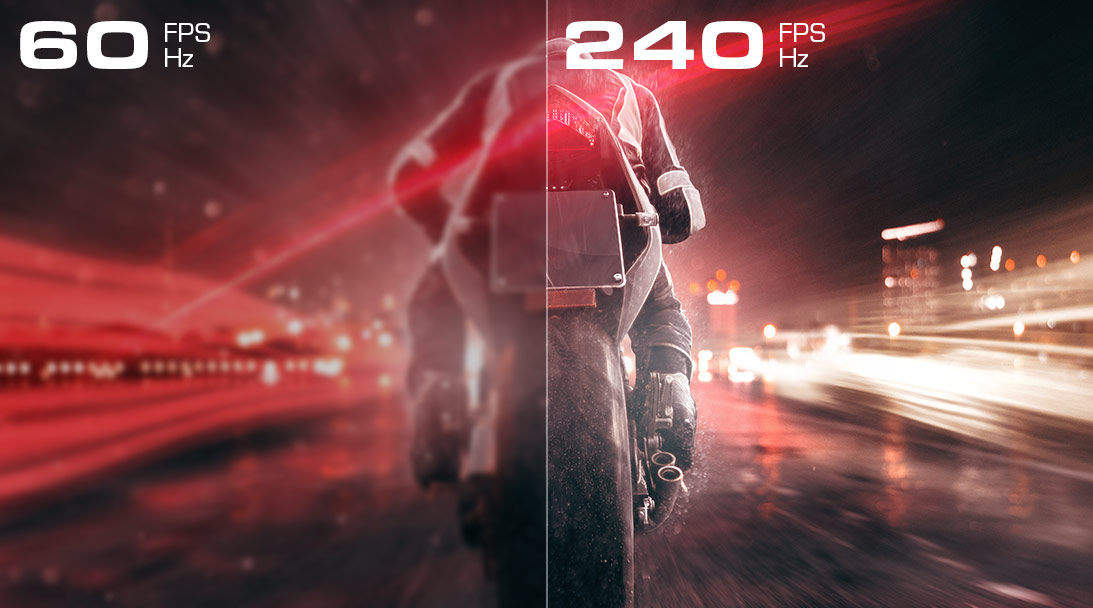
Games like CS2, Valorant, Apex Legends, Fortnite, and Rainbow Six Siege reward high FPS in a concrete, measurable way. At 240 FPS, your display is receiving a new frame every 4.2 milliseconds. At 60 FPS, the gap between frames is 16.7 milliseconds. In a game where an enemy peeking a corner can appear and disappear in under 15 milliseconds, that difference is real. Higher FPS means more frequent visual updates, which means faster information and lower input lag between your mouse movement and what appears on screen.
| Target | FPS Range | Who It’s For |
|---|---|---|
| Minimum | 120 FPS | Entry competitive. Noticeably better than 60 FPS. |
| Ideal | 144 to 165 FPS | Strong mainstream competitive target |
| High-end | 240 FPS | Serious competitive players on 240Hz monitors |
| Enthusiast | 360 FPS+ | Esports professionals, diminishing returns for most |
Single-Player and AAA Cinematic Games
Games like Cyberpunk 2077, Elden Ring, Starfield, The Last of Us Part I, and Baldur’s Gate 3 are built around visual quality and immersion rather than reaction-time advantages. In these games a stable 60 FPS is a genuinely good experience. The camera movement is slower, the gameplay loop rewards deliberate decisions over reflexes, and the visual fidelity at higher settings often matters more than the raw frame count.
| Target | FPS Range | Who It’s For |
|---|---|---|
| Good | 60 FPS stable | Solid experience, especially at 1440p or 4K on high settings |
| Better | 80 to 100 FPS | Noticeably smoother, worth targeting if hardware allows |
| Excellent | 100+ FPS | Strong result. Diminishing feel returns vs competitive games. |
Mixed and General Gaming
Most PC gamers play both types. The practical recommendation for a mixed library is to target 100 to 144 FPS as the default. That range covers competitive titles well enough to feel fast and responsive while also providing smooth single-player performance without sacrificing visual settings.
What Is a Good FPS by Resolution
Resolution changes the performance equation because higher resolutions require significantly more GPU work per frame. What counts as a good FPS target at 1080p is often impossible to sustain at 4K on the same hardware.
1080p
At 1080p, high FPS is more achievable than at any other mainstream resolution. This is where competitive gaming at 144 to 240 FPS is realistic on mid-range hardware, and where most esports-focused setups live.
- Competitive: 144 FPS or higher is a realistic and recommended target
- General gaming: 60 to 144 FPS is the practical range
- Budget builds: 60 FPS stable is a solid starting point
If you are not hitting your target FPS at 1080p, it is almost always a GPU limitation. See our Best GPUs for 1080p Gaming 2026 guide for current recommendations at this resolution.
1440p
1440p is the sweet spot for most PC gamers in 2026. It offers better image quality than 1080p and more achievable performance than 4K. The FPS target at 1440p depends on what you play, but this is where the 100 to 144 FPS range becomes the mainstream recommendation.
- Competitive: 144 FPS is achievable on strong mid-range hardware
- AAA single-player: 60 FPS is acceptable, 80 to 100 FPS is ideal
- Sweet spot: 100 to 144 FPS covers both well
If you are falling short of 100 FPS at 1440p in modern titles, that points to a GPU limitation. See our Best GPUs for 1440p Gaming 2026 guide, or check our Best $1,500 Gaming PC Build for 1440p 2026 if you are putting together a full system.
4K
4K gaming is where FPS expectations need to be recalibrated. The pixel count is roughly four times that of 1080p, and the GPU load scales accordingly. Chasing 144 FPS at 4K requires flagship hardware. For most 4K gamers, the realistic and enjoyable target range is lower than many buyers initially expect.
- Floor: 60 FPS stable is still a good 4K experience, especially in visually demanding games
- Ideal: 60 to 100 FPS covers the practical range for most 4K setups
- High-end: 100+ FPS at 4K requires top-tier hardware and is not the typical target
If you are struggling to hit 60 FPS stable at 4K, the GPU is almost always the constraint. See our Best GPUs for 4K Gaming 2026 guide, or read our 1440p vs 4K Gaming 2026 comparison if you are still deciding whether 4K is the right target for your setup.
Why Consistency Matters More Than Peak FPS
Average FPS is what most people look at. Frame consistency is what most people actually feel. The difference between a smooth gaming experience and a frustrating one is often not the average frame rate. It is how evenly those frames are delivered.
Frame pacing refers to the timing between consecutive frames. At a perfect 60 FPS, a new frame arrives every 16.7 milliseconds, evenly spaced. If your system averages 60 FPS but delivers frames in bursts (10ms, then 30ms, then 8ms, then 28ms) the result feels stuttery and unresponsive even though the counter reads the same number. Your eyes and hands experience the gaps between frames, not the average.
This is where 1% lows become more useful than average FPS for understanding real-world performance. The 1% low metric captures the slowest 1% of frames in a session, which is the performance floor rather than the average. A useful rule of thumb is that your 1% lows should stay within roughly 60 to 70 percent of your average FPS. If your average is 120 FPS and 1% lows are dropping to 40 FPS, the experience will feel unstable regardless of what the average counter reads. A setup averaging 90 FPS with 75 FPS 1% lows will feel noticeably smoother than one averaging 120 FPS with 40 FPS 1% lows.
How to Check Your Actual Performance
Average FPS is easy to find in any game overlay. Checking 1% lows requires a monitoring tool. MSI Afterburner with the RivaTuner overlay is the most widely used option. It shows real-time FPS, 1% lows, frame times, and GPU usage simultaneously. NVIDIA’s built-in overlay and AMD’s Radeon overlay also show basic performance data. If your game feels bad despite a decent average FPS, checking the 1% lows and frame time graph is the fastest way to identify whether consistency is the problem. Our How Much VRAM Do You Need for Gaming 2026 article covers another common cause of stuttering that average FPS benchmarks often hide.
Diminishing Returns: 60 vs 120 vs 144 vs 240+
Not every step up in FPS delivers equal improvement. The gains get smaller as the numbers get higher, and understanding where the meaningful jumps are helps you set realistic targets without chasing diminishing returns.
| Jump | Impact | Who Feels It Most |
|---|---|---|
| 30 to 60 FPS | Massive. Everything becomes visibly more fluid. | Everyone |
| 60 to 120 FPS | Very noticeable. Motion clarity and input lag improve significantly. | All gamers, especially competitive |
| 120 to 144 FPS | Noticeable but smaller. Frame time drops from 8.3ms to 6.9ms. | Competitive and enthusiast players |
| 144 to 240 FPS | Meaningful mainly for competitive players on 240Hz monitors | Serious competitive players |
| 240 FPS+ | Diminishing returns. Real but requires significant hardware. | Esports professionals |
The most impactful upgrade for most gamers is not chasing 240 FPS. It is getting from 60 to 120 FPS. That is where the experience changes most noticeably. Once you are consistently above 120 FPS, each additional step up delivers a smaller return for the same hardware investment.
Common FPS Mistakes
Chasing Peak FPS Instead of Stable FPS
A benchmark showing 200 FPS for three seconds before dropping to 80 FPS in heavy scenes tells you very little about whether your gaming experience is good. The metric to watch is whether your frame rate stays consistent during normal gameplay. A capped, stable 100 FPS often feels better than an uncapped setup swinging between 80 and 180.
Ignoring 1% Lows
Most gamers check average FPS and stop there. The 1% lows are where bad experiences hide. If your game feels choppy despite a strong average, the 1% lows are almost always the problem. Check them in MSI Afterburner or your GPU overlay before assuming a hardware upgrade is needed.
Running High FPS on a 60Hz Monitor
If your GPU is producing 200 FPS and your monitor is 60Hz, you are seeing 60 FPS. The extra performance is not being fully shown by the display and may also introduce screen tearing. Either pair the monitor to the hardware level, or enable VRR and set a sensible FPS cap. Running uncapped on a 60Hz monitor is one of the most common ways to cause tearing without gaining anything.
Assuming DLSS or FSR Fixes a Performance Problem
Upscaling technologies help your FPS by rendering at a lower internal resolution. They do not improve frame consistency, fix underlying stuttering, or compensate for a mismatched GPU and resolution target. If your setup is fundamentally underpowered for the target resolution, DLSS and FSR will help you get more frames, but they will not fix frame pacing issues or turn a poor hardware match into a smooth experience.
Targeting 4K at High Refresh Rates on Mid-Tier Hardware
4K at 144 FPS in demanding AAA titles requires flagship hardware. Many buyers set up a 4K 144Hz monitor expecting to hit those numbers on mid-range cards, then wonder why everything requires settings compromises. Understanding the realistic FPS range for 4K on your hardware before buying the monitor saves a lot of frustration. Our 1440p vs 4K Gaming 2026 guide covers this tradeoff in detail.
Mismatching GPU and Monitor
A high-end GPU on a 60Hz monitor wastes performance potential. A 240Hz monitor on a mid-range GPU creates frustration when the hardware cannot reach the display’s capability. Matching GPU tier to monitor refresh rate and resolution is one of the most important decisions in a gaming build. Our GPU Monitor Match Tool can help you find the right pairing for your setup.
Frequently Asked Questions
Is 60 FPS still good for gaming in 2026?
Yes, for the right games. In single-player and narrative-driven games, a stable 60 FPS is genuinely enjoyable. Where it falls short is in competitive titles and on high-refresh monitors, where the gap between 60 FPS and what the display can show becomes obvious.
Is 120 FPS enough for competitive gaming?
Yes for most players. 120 FPS is a strong competitive baseline and a major improvement over 60. If your hardware can reach 144 FPS without significant compromises, that is worth targeting. But 120 FPS puts you well inside the range where competitive play feels fast and responsive.
Do I need to hit my monitor’s refresh rate exactly?
No. Getting close matters more than hitting the number precisely. 120 to 130 FPS on a 144Hz monitor still feels excellent. Problems arise when FPS drops well below the refresh rate and the monitor starts repeating frames. VRR helps smooth that out when FPS fluctuates.
Why does my game feel bad even though my FPS looks fine?
Almost always a consistency problem. Check your 1% lows in MSI Afterburner or your GPU overlay. If your average is 90 FPS but 1% lows are dropping to 40 or 50, the game will feel stuttery regardless of what the average counter reads.
Is 240 FPS worth it for casual gamers?
Probably not. The jump from 60 to 120 FPS is where the biggest improvement happens. The jump from 144 to 240 FPS is meaningful mainly for competitive players chasing every millisecond of latency. For general gaming, that hardware budget is better spent elsewhere.
What FPS should I target for a 1440p 144Hz monitor?
100 to 144 FPS is the ideal range. If AAA single-player games push you below that at high settings, 60 to 80 FPS stable is still a solid outcome. See our Best GPUs for 1440p Gaming 2026 guide for hardware recommendations at this tier.
Final Verdict: What Is a Good FPS for Gaming in 2026?
A good FPS for gaming comes down to three things: your monitor, your game type, and how consistently your system delivers frames. It is not a single number that applies to everyone.
For competitive gaming, 120 FPS is the minimum worth targeting and 144 to 240 FPS is where the experience becomes genuinely fast. For single-player AAA games, a stable 60 FPS is still a good result and 80 to 100 FPS is better. For most gamers with a mixed library, targeting 100 to 144 FPS on a high-refresh monitor is the best balance of performance, hardware cost, and experience quality.
The most important thing most guides miss: average FPS is not the whole story. A consistent 80 FPS beats a spiking 120 FPS. Check your 1% lows. Match your GPU to your monitor. And if your game feels bad despite decent numbers, frame consistency is almost always where the problem is hiding.
Not sure whether your current GPU and monitor are actually matched for your target FPS? Use our GPU Monitor Match Tool to find out. If you are looking at a GPU upgrade to hit your target, our GPU Tier List 2026 and How Much VRAM Do You Need for Gaming 2026 are the right next reads.