
Last updated: March 2026
Some links on this page are affiliate links. If you buy through them we may earn a small commission at no extra cost to you.
Budget 1080p gaming monitors are still one of the best investments you can make for PC gaming in 2026. Modern GPUs drive this resolution easily at high frame rates, monitors at this tier are significantly cheaper than 1440p, and the performance you get from a well-matched setup is genuinely excellent. The problem is that the budget end of this market is crowded with displays that look competitive on paper but cut corners where it actually matters.
This guide cuts through that. We researched the current market, cross-referenced testing data from trusted sources, and verified every pick is available on Amazon right now from a reputable brand. What you will find below are seven clearly differentiated monitors covering every type of budget 1080p buyer, from the safest all-around IPS pick to the best 240Hz option for competitive players.
Before you buy, one thing is worth understanding: at 1080p, screen size has a bigger impact on image quality than most buyers expect. A 24-inch 1080p display gives you a sharp 92 pixels per inch. The same resolution on a 27-inch screen drops to 82 pixels per inch, which is noticeably softer for text and fine detail. For pure gaming it is less critical, but it is the kind of tradeoff worth knowing before you choose. We cover both sizes below and explain exactly when each makes sense.
If your GPU can push 1440p at the frame rates you want, it is also worth checking our best budget 1440p gaming monitors guide before committing to 1080p. For everyone else, read on.
On This Page
- Quick Picks
- Budget 1080p Monitor Comparison
- How We Chose
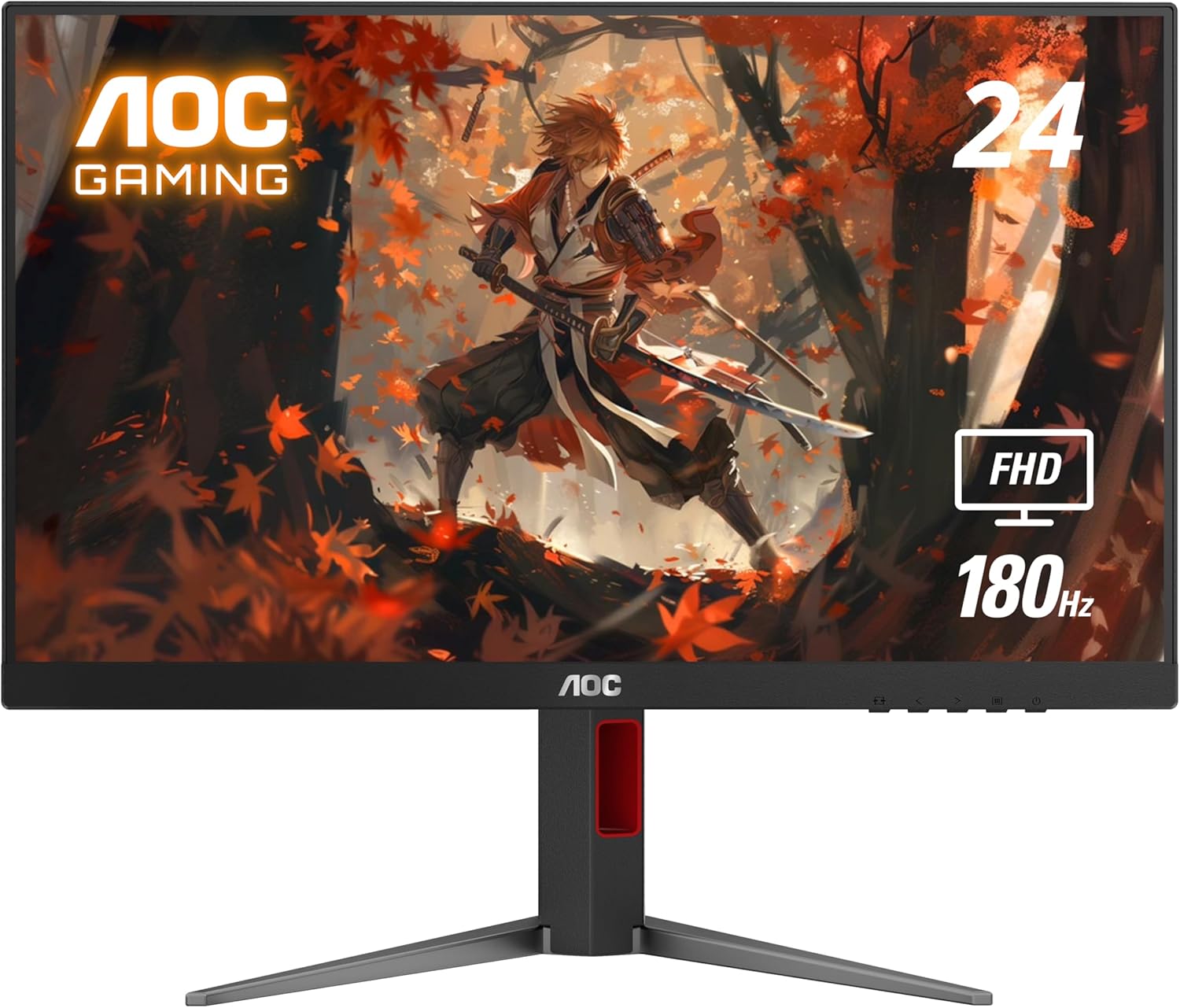
- Best Overall: AOC 24G4
- Best Budget Floor: Samsung Odyssey G3
- Best Mid-Range IPS: MSI G2412F
- Best Premium Budget Pick: BenQ MOBIUZ EX240
- Best 240Hz Brand Pick: Samsung Odyssey G4
- Best Motion Clarity: ViewSonic XG2431
- Best 27-Inch Option: Dell SE2726HG
- 24-Inch vs 27-Inch at 1080p
- 165Hz vs 180Hz vs 240Hz
- IPS vs VA for Budget Gaming
- GPU Pairing Guide
- Frequently Asked Questions
- Final Verdict
Quick Picks
If you want the short version, these are the best budget 1080p gaming monitors available right now. Each pick fills a specific role so you can find the right monitor for your setup without reading the full guide.
Budget 1080p Monitor Comparison
The table below gives you the fastest way to compare the core differences between every monitor in this guide. Use it to quickly identify which pick fits your size preference, refresh rate target, and panel type before reading the full breakdowns below.
| Monitor | Size | Panel | Refresh Rate | Best For | Price Tier |
|---|---|---|---|---|---|
| AOC 24G4 | 24″ | IPS | 180Hz | Best Overall | ~$110–$130 |
| Samsung Odyssey G3 | 24″ | VA | 180Hz | Best Budget Floor | ~$100–$120 |
| MSI G2412F | 24″ | Rapid IPS | 180Hz | Best Mid-Range IPS | ~$130 |
| BenQ MOBIUZ EX240 | 24″ | IPS | 165Hz | Best Premium Budget | ~$160–$180 |
| Samsung Odyssey G4 | 25″ | IPS | 240Hz | Best 240Hz Brand Pick | ~$180–$200 |
| ViewSonic XG2431 | 24″ | Fast IPS | 240Hz | Best Motion Clarity | ~$200 |
| Dell SE2726HG | 27″ | Fast IPS | 240Hz | Best 27-Inch Option | ~$120–$150 |
Quick takeaway: For most budget 1080p gamers the AOC 24G4 is the safest starting point. If you want 240Hz from a name brand you trust, the Samsung Odyssey G4 is the cleanest upgrade. If motion clarity for competitive FPS is your priority above everything else, the ViewSonic XG2431 is in a different class.
How We Chose
Not every budget 1080p monitor deserves a recommendation. The market is full of displays that hit the right spec numbers on paper but fall short in panel quality, motion handling, or build reliability. For this guide we focused on monitors that deliver strong real-world gaming performance, come from brands with proven quality control, and are confirmed available on Amazon at the prices listed.
Panel Type
We prioritized IPS panels for most slots because they offer better motion clarity, more accurate colors, and wider viewing angles than budget VA alternatives. The Samsung Odyssey G3 is the one VA exception, included specifically because it fills the budget floor slot where the Samsung brand name and fully adjustable stand justify the panel tradeoff. We rejected TN panels entirely. Budget IPS has closed the response time gap enough that TN’s narrow viewing angles and washed-out colors are no longer an acceptable tradeoff at any price in 2026.
Refresh Rate
Every monitor on this list runs at 165Hz or higher. We set that as the floor because modern GPUs push 1080p well past 144 FPS in most titles, and the budget monitor market now delivers 165Hz to 180Hz at prices where there is no reason to settle for less. For competitive players we included two dedicated 240Hz picks that represent clearly different approaches to fast motion — a mainstream brand option and a motion clarity specialist — so buyers can choose based on what actually matters to them.
Size and Pixel Density
Five of the seven picks are 24-inch displays. That is a deliberate choice. At 1080p, 24 inches gives you 92 pixels per inch, which is genuinely sharp for both gaming and everyday desktop use. We included one 25-inch and one 27-inch pick for buyers who specifically want more screen real estate, but we are honest throughout about the pixel density tradeoff that comes with the larger sizes.
Brand and Availability
Every monitor on this list comes from a brand with real credibility in the gaming display market: AOC, Samsung, MSI, BenQ, ViewSonic, and Dell. We avoided no-name Amazon brands regardless of how good the spec sheet looked, because quality control and independent review data for those products are unreliable. All seven picks were verified as actively available on Amazon at the time of research. Prices are approximate and change frequently, so always check current pricing before ordering.
Clear Differentiation
Every pick on this list fills a specific slot. No two monitors are interchangeable recommendations. If a monitor did not have a clear reason to be here that no other pick already covered, it did not make the list.
Best Overall Budget 1080p Monitor: AOC 24G4
- Screen Size: 24 inches
- Resolution: 1920 x 1080
- Panel: IPS
- Refresh Rate: 180Hz
- Response Time: 1ms MPRT
- Sync: Adaptive-Sync (FreeSync / G-Sync Compatible)
- Connectivity: 1x HDMI 2.0, 1x DisplayPort 1.4
- Stand: Tilt only
The AOC 24G4 is the easiest recommendation in this guide. It hits every spec that matters for budget 1080p gaming without padding the price with features most buyers will never use. A 24-inch IPS panel at 180Hz with Adaptive-Sync and a three-year zero-bright-dot warranty from a brand that has been doing budget gaming monitors well for years. There is not much to overthink here.
Panel and color: The IPS panel gives you accurate colors and wide viewing angles that hold up from off-axis positions. The 178-degree viewing angle means the image does not shift when you lean to the side, which matters more than it sounds for casual desk setups where you are not always perfectly centered. Color coverage is solid for a monitor at this price.
Motion and refresh: 180Hz is genuinely useful at 1080p. A GPU in the RTX 4060 or RX 7600 class can push past 180 FPS in competitive titles like CS2, Valorant, and Apex Legends at 1080p, which means you will actually see the benefit rather than just buying refresh rate headroom you cannot reach. The 1ms MPRT keeps motion clean without visible ghosting in normal use.
The honest tradeoff: The stand is tilt-only. If you care about height adjustment or pivot for a portrait setup, you will need a VESA monitor arm. The monitor is VESA compatible so that is a straightforward fix, but it is worth knowing upfront rather than discovering after delivery.
Who should buy it: Buy the AOC 24G4 if you want the safest all-around budget 1080p gaming monitor under $130. It is the right pick for a first gaming monitor, a secondary display, or anyone who wants 180Hz IPS performance without making the decision complicated.
Best Budget Floor: Samsung Odyssey G3
- Screen Size: 24 inches
- Resolution: 1920 x 1080
- Panel: VA
- Refresh Rate: 180Hz
- Response Time: 1ms MPRT
- Sync: AMD FreeSync
- Connectivity: 1x HDMI 2.1, 1x DisplayPort
- Stand: Height, tilt, swivel, pivot
The Samsung Odyssey G3 is the pick for buyers who want to spend as little as possible while still buying from a brand they recognize and trust. At around $100 it regularly undercuts everything else on this list while still delivering 180Hz, a 1ms response time, and a fully ergonomic stand that adjusts for height, tilt, swivel, and pivot. That stand alone is something most monitors at twice the price do not include.
What you are trading for the price: This is a VA panel, not IPS. VA panels produce deeper blacks and higher contrast than IPS at this price tier, which is a genuine advantage for gaming in a darker room or for players who enjoy single-player games with dark scenes. The tradeoff is that VA panels can exhibit smearing on fast-moving dark objects, which is more noticeable in fast-paced competitive titles. For casual gaming, mixed use, and anyone who is not highly sensitive to motion artifacts, this is a non-issue. For serious CS2 or Valorant players who want the cleanest possible motion, the AOC 24G4’s IPS panel is the better call.
Black Equalizer and Virtual Aim Point: Samsung includes a Black Equalizer feature that brightens dark areas in games without washing out bright areas, which can help visibility in dark game environments. Virtual Aim Point overlays a crosshair on screen. Neither is a reason to buy or avoid this monitor, but they are useful extras at this price.
Who should buy it: Buy the Samsung Odyssey G3 if you want the lowest entry price from a major brand, care about having a properly adjustable stand, and are not primarily a competitive FPS player chasing the cleanest possible motion.
Best Mid-Range IPS: MSI G2412F
- Screen Size: 24 inches
- Resolution: 1920 x 1080
- Panel: Rapid IPS
- Refresh Rate: 180Hz
- Response Time: 1ms GTG
- Sync: Adaptive-Sync
- Connectivity: 2x HDMI 2.0b, 1x DisplayPort
- Stand: Tilt only
The MSI G2412F earns its slot by doing two things the AOC 24G4 does not. First, it uses a Rapid IPS panel, which is MSI’s implementation of fast IPS technology that delivers 1ms GTG response times — that is gray-to-gray, a stricter and more meaningful measurement than MPRT. Second, it includes two HDMI ports instead of one, which matters if you are connecting a PC and a console to the same display without needing a switcher.
Color performance: The G2412F covers 107% sRGB, which is wider than the standard sRGB gamut and produces slightly more vivid colors out of the box. For most gaming use this looks great. For color-critical work it will be slightly oversaturated unless you profile it, but that is not the audience this monitor is built for.
Night Vision: MSI includes a Night Vision mode that brightens dark areas in games to improve visibility in shadowy environments. It is a similar feature to Samsung’s Black Equalizer. Whether you use it is personal preference, but it is a nice extra at this price point.
The honest tradeoff: Like the AOC, the stand is tilt-only. If ergonomics matter to you, plan for a monitor arm. The monitor is VESA compatible.
Who should buy it: Buy the MSI G2412F if you want a Rapid IPS panel with a true 1ms GTG response time, dual HDMI for a PC and console setup, and MSI’s gaming feature set, all at roughly the same price as the AOC.
Best Premium Budget Pick: BenQ MOBIUZ EX240
- Screen Size: 24 inches
- Resolution: 1920 x 1080
- Panel: IPS
- Refresh Rate: 165Hz
- Response Time: 1ms MPRT
- Sync: AMD FreeSync Premium
- Connectivity: 2x HDMI 2.0, 1x DisplayPort 1.4
- Stand: Height, swivel, tilt
The BenQ MOBIUZ EX240 is the most complete package in this guide. It costs a little more than the AOC and MSI options, and it earns that premium by including things the other budget picks leave out entirely.
HDRi: BenQ’s proprietary HDRi technology uses a built-in ambient light sensor to automatically adjust brightness and color temperature based on your room lighting. In practice this means the monitor adapts as your environment changes rather than staying locked to whatever you manually set. It is a genuinely useful feature for buyers who game in rooms with variable lighting conditions.
Built-in speakers: The EX240 includes built-in 2W speakers. Monitor speakers are rarely impressive, but having them means one fewer cable and one fewer device on the desk for buyers setting up a clean minimal station. For casual use they are adequate.
Ergonomics: The stand adjusts for height and swivel in addition to tilt, which none of the cheaper picks in this guide match. If you spend long hours at the desk and care about dialing in your monitor position properly, this stand is a real advantage.
The honest tradeoff: The EX240 runs at 165Hz rather than 180Hz. That 15Hz difference is not something most people will notice in real gaming conditions. If maximizing refresh rate is your priority, the AOC or MSI options hit 180Hz for less money. But if you want a more complete, better-built package with extras that actually improve daily use, the BenQ justifies the price difference.
Who should buy it: Buy the BenQ MOBIUZ EX240 if you want the most complete budget 1080p monitor available, care about ergonomics, want built-in speakers, and are willing to spend $160 to $180 for a properly finished package.
Best 240Hz Brand Pick: Samsung Odyssey G4
- Screen Size: 25 inches
- Resolution: 1920 x 1080
- Panel: IPS
- Refresh Rate: 240Hz
- Response Time: 1ms GTG
- Sync: NVIDIA G-Sync Compatible, AMD FreeSync Premium
- Connectivity: 2x HDMI, 1x DisplayPort
- Stand: Height, tilt, swivel, pivot
The Samsung Odyssey G4 is the pick for competitive players who want 240Hz from a major brand and are not ready to spend $270+ on a specialized esports display. It sits at $180 to $200 depending on where prices are at the time you check, and for that it gives you genuine 240Hz IPS performance, full G-Sync and FreeSync compatibility, and a stand that adjusts in every direction.
Why 240Hz matters: The jump from 180Hz to 240Hz is noticeable for competitive FPS players in a way that the jump from 144Hz to 165Hz is not. At 240Hz, motion tracking in fast games like CS2 and Valorant becomes meaningfully smoother and the display feels more responsive to mouse input. If your GPU can sustain 200-plus FPS in your primary games, 240Hz is a real upgrade. If you are mostly running 120 to 150 FPS, the practical difference narrows considerably.
Ultrawide Game View: Samsung includes an Ultrawide Game View mode that adds black bars and simulates a wider field of view in games that support it. This is a situational feature and not a reason to buy or avoid the monitor, but it is worth knowing it exists.
Pixel density: At 25 inches the G4 gives you roughly 91 PPI, which is still sharp and noticeably better than a 27-inch 1080p panel’s 82 PPI. The slightly larger size over a 24-inch display is a worthwhile tradeoff for most buyers.
Who should buy it: Buy the Samsung Odyssey G4 if you want 240Hz from a brand you know, full VRR support for both AMD and NVIDIA, a fully adjustable stand, and the best mainstream competitive gaming upgrade in this price range.
Best Motion Clarity: ViewSonic XG2431
- Screen Size: 24 inches
- Resolution: 1920 x 1080
- Panel: Fast IPS
- Refresh Rate: 240Hz
- Response Time: 0.5ms MPRT
- Sync: NVIDIA G-Sync Compatible, AMD FreeSync Premium
- Connectivity: 2x HDMI, 1x DisplayPort
- Stand: Height, tilt, swivel, pivot
The ViewSonic XG2431 is the most specialized pick on this list. It exists here for one reason: if motion clarity in fast competitive games is the single most important thing to you, this monitor is in a different league from everything else at this price.
Blur Busters Approved 2.0: The XG2431 was the first monitor ever to earn Blur Busters Approved 2.0 certification. This is not marketing fluff. Blur Busters independently tests monitors for motion clarity and backlight strobing performance. The XG2431’s PureXP motion blur reduction mode was factory-tuned by Blur Busters to achieve near-CRT motion clarity levels on an LCD panel. For competitive FPS players who care about tracking fast-moving targets cleanly, this is a meaningful and measurable advantage.
How it works: PureXP uses backlight strobing to reduce perceived motion blur. The backlight flickers in sync with the panel refresh to sharpen fast motion in a way that standard sample-and-hold LCDs cannot match. The tradeoff is that backlight strobing and VRR cannot run simultaneously, so you choose between the cleanest motion or tear-free adaptive sync. Most serious FPS players run uncapped frame rates well above their refresh rate and turn off VRR anyway, which makes this less of a practical tradeoff than it sounds.
Who should skip this: Casual gamers, anyone who plays a mix of genres, and anyone who primarily wants a clean all-around monitor. The Samsung G4 is a better fit for most buyers. The XG2431 is for serious FPS players who specifically want the best motion clarity available at this price and understand the tradeoffs that come with it.
Who should buy it: Buy the ViewSonic XG2431 if you mainly play competitive FPS games, care deeply about motion clarity over everything else, and want the most technically capable budget 240Hz monitor available at this price.
Best 27-Inch Option: Dell SE2726HG
- Screen Size: 27 inches
- Resolution: 1920 x 1080
- Panel: Fast IPS
- Refresh Rate: 240Hz
- Response Time: 0.5ms GTG
- Sync: AMD FreeSync Premium, HDMI VRR
- Connectivity: 2x HDMI 2.1, 1x DisplayPort 1.4
- Stand: Tilt only
We want to be direct about 27-inch 1080p before recommending anything in this category: it is a real tradeoff. At 27 inches, 1080p gives you 82 pixels per inch versus the 92 PPI you get on a 24-inch panel at the same resolution. The image is noticeably softer for text, fine UI details, and everyday desktop work. For pure gaming the difference is less critical, but it is worth being honest about before you buy a screen you cannot return easily.
That said, if 27 inches is what you want, the Dell SE2726HG is the strongest option in this size at this price. It launched in February 2026 and immediately stood out because it delivers 240Hz Fast IPS at 27 inches for roughly $130, which is genuinely unusual. For buyers who prioritize screen real estate and gaming speed over pixel sharpness, the math works.
Connectivity: Dual HDMI 2.1 ports support VRR over HDMI, which means console players connecting a PS5 or Xbox Series X get proper variable refresh rate support in addition to the PC DisplayPort option. That is a meaningful bonus at this price.
Color performance: 99% sRGB coverage is strong for a monitor at this price. Colors are accurate and consistent for gaming and general use without needing manual calibration.
The honest tradeoff: Tilt-only stand and a lower pixel density than the 24-inch options on this list. If you care about sharpness, go 24-inch. If you want a larger screen and 240Hz on a tight budget, this is the pick.
Who should buy it: Buy the Dell SE2726HG if you specifically want a 27-inch display, want 240Hz at the lowest possible price for that size, and understand that 1080p at 27 inches is softer than on a smaller panel.
24-Inch vs 27-Inch at 1080p
This is one of the most important decisions in the entire guide and one that a lot of buyers get wrong by defaulting to bigger without thinking about the tradeoff.
At 1080p, a 24-inch display gives you 92 pixels per inch. A 27-inch display at the same resolution gives you 82 pixels per inch. That 10 PPI difference is visible. Text looks softer, fine details in game environments are less crisp, and the overall image looks less sharp when you sit at a normal desk distance. For gaming alone the difference is less critical than it is for desktop work or reading, but it is still there and worth knowing before you buy.
When 24-inch is the right call: You care about image sharpness. You play competitive FPS games and want everything on screen to be as clear as possible. You sit close to your monitor. You are buying your first gaming display and want the safest choice.
When 27-inch makes sense: You specifically want a larger screen for immersion. You sit further back from your desk. You game casually and are not sensitive to pixel density differences. You want a bigger display for mixed gaming and general use and understand the sharpness tradeoff going in.
If you want a 27-inch display and are willing to spend a little more, the smarter long-term move is stepping up to a 27-inch 1440p monitor, which gives you 109 pixels per inch and looks noticeably sharper. Our best budget 1440p gaming monitors guide covers that category in full.
165Hz vs 180Hz vs 240Hz
Refresh rate is one of the most impactful upgrades you can make to a gaming setup, and the budget 1080p market now gives you real choices across three meaningful tiers.
165Hz to 180Hz — the mainstream sweet spot. The AOC, MSI, Samsung G3, and BenQ picks in this guide all land in this range. For most gamers this is the right call. Modern GPUs in the RTX 4060 and RX 7600 class push past 165 FPS comfortably in competitive titles at 1080p, which means you will actually see and feel the refresh rate you are paying for. The difference between 165Hz and 180Hz in real gaming is minor. Do not choose a monitor specifically because it has 180Hz over 165Hz if everything else about the 165Hz option is better for you.
240Hz — for competitive players who want more. The Samsung Odyssey G4 and ViewSonic XG2431 both hit 240Hz. The jump from 180Hz to 240Hz is genuinely noticeable in fast competitive titles. Motion tracks more smoothly, the display feels more responsive to mouse input, and targets are easier to follow during fast movement. To take full advantage of 240Hz you need your GPU to actually produce 200-plus FPS consistently in your primary games. If you are running 120 to 150 FPS most of the time, the practical benefit narrows considerably. Check your in-game frame rates before deciding whether 240Hz is worth the extra spend for your specific setup.
Is the jump from 180Hz to 240Hz worth it? For casual gamers, no. For competitive FPS players who can consistently exceed 200 FPS at 1080p, yes. The Samsung G4 at $180 to $200 is the most accessible way to find out.
IPS vs VA for Budget Gaming
Six of the seven monitors on this list use IPS or Fast IPS panels. That is deliberate. Here is why, and when VA is worth considering.
IPS panels offer accurate colors, wide viewing angles, and fast pixel response times. At the budget tier in 2026, IPS has improved to the point where most options deliver real 1ms GTG or sub-1ms MPRT response times without the dark smearing issues that used to plague cheaper IPS implementations. For most gaming use cases, IPS is the safer and more versatile recommendation.
VA panels offer higher native contrast ratios, typically 3,000:1 or higher versus the 1,000:1 you get from IPS. That means deeper blacks and a more dramatic image in dark scenes and darker gaming environments. The tradeoff is pixel response time. Budget VA panels can exhibit dark smearing, where fast-moving objects in dark scenes leave a visible trail. For competitive FPS gaming where fast motion clarity matters, this is a real problem. For casual gaming, single-player games, and mixed use, it is often manageable.
The practical verdict: Buy IPS unless you specifically game in a dark room, play mostly slow or story-driven games where contrast matters more than motion speed, and are not sensitive to dark smearing. The Samsung Odyssey G3 is the one VA pick on this list and it earns its slot at the budget floor price, but for most buyers the IPS options are the better default.
GPU Pairing Guide
The right monitor depends on what your GPU can actually deliver. There is no point buying a 240Hz display if your graphics card cannot push past 150 FPS in your primary games. Equally, pairing a capable 1080p GPU with a 165Hz monitor when you are consistently hitting 200-plus FPS means leaving performance on the table. The table below maps current GPU tiers to the monitors on this list that make the most sense for each.
| GPU Tier | Best Monitor Match | Why It Fits |
|---|---|---|
| Entry 1080p (RX 6600 / RTX 3060) | AOC 24G4 or Samsung Odyssey G3 | These cards push 144 to 180 FPS in competitive titles at 1080p. A 180Hz IPS panel is the right ceiling for this tier. |
| Mainstream 1080p (RX 7600 / RTX 4060) | MSI G2412F or BenQ MOBIUZ EX240 | Strong 1080p cards that hit 180-plus FPS consistently. A 180Hz IPS panel fully utilizes this performance tier. |
| Strong 1080p (RX 9060 XT / RTX 5060 Ti) | Samsung Odyssey G4 | These cards push well past 200 FPS in competitive titles at 1080p. A 240Hz panel lets you see the full benefit of that performance. |
| High-end 1080p esports build | ViewSonic XG2431 | For players chasing maximum FPS in CS2, Valorant, or Apex Legends. Pairs with any GPU that can sustain 200-plus FPS at 1080p. |
| Any GPU, larger screen preference | Dell SE2726HG | Works across GPU tiers for buyers who want 27-inch screen size. The 240Hz panel gives headroom for stronger cards without limiting weaker ones. |
If you are still deciding on a GPU for your 1080p setup, our best GPUs for 1080p gaming guide covers every current option across budget tiers. If you are building a full system around 1080p gaming, our 1080p gaming PC build guide pairs naturally with the monitors on this list.
Frequently Asked Questions
Is 1080p still worth buying in 2026?
Yes. 1080p is still the best resolution for high refresh rate gaming on a budget. It is significantly easier for mainstream GPUs to drive at 165Hz to 240Hz than 1440p, monitors cost less, and the gaming experience on a fast 1080p display is genuinely excellent. The case for upgrading to 1440p gets stronger as your GPU budget increases, but for budget builds and competitive gaming setups, 1080p remains a smart choice in 2026.
What is the best size for a 1080p gaming monitor?
24 inches is the best size for most 1080p gaming setups. At this size, 1080p gives you 92 pixels per inch, which is genuinely sharp for both gaming and everyday use. A 27-inch 1080p display drops to 82 PPI, which is noticeably softer. If you want a 27-inch display, stepping up to 1440p resolution is the smarter long-term investment.
Is 240Hz worth it over 180Hz for 1080p gaming?
It depends on what you play and what your GPU produces. If you mainly play competitive FPS games and your graphics card consistently pushes past 200 FPS at 1080p, 240Hz is a noticeable and worthwhile upgrade. If you play a mix of games and your frame rates sit closer to 120 to 150 FPS, the difference between 180Hz and 240Hz is much smaller in practice. Check your actual in-game frame rates before deciding.
Should I buy IPS or VA for a budget 1080p monitor?
IPS is the safer default recommendation for most buyers. IPS panels offer better motion clarity, wider viewing angles, and more accurate colors than budget VA alternatives. VA panels deliver higher contrast and deeper blacks, which can look more dramatic in dark environments, but they carry a risk of dark smearing in fast competitive games. Unless you specifically game in a dark room and play mostly slow or story-driven titles, IPS is the better call.
Do I need G-Sync or FreeSync for a budget 1080p monitor?
Adaptive sync support is worth having but not worth paying a significant premium for at this price tier. Every monitor on this list includes FreeSync support, and most are also G-Sync Compatible, which means they work with NVIDIA GPUs as well. Adaptive sync eliminates screen tearing when your frame rates drop below your refresh rate, which makes gameplay feel smoother in those moments. It is a genuinely useful feature and you do not have to give anything up to get it on any of these picks.
What GPU do I need for a 1080p 240Hz monitor?
To consistently exceed 200 FPS at 1080p in competitive titles, you want a GPU in at least the RTX 4060 or RX 7600 class. Cards like the RX 9060 XT and RTX 5060 Ti push well past that threshold in esports titles, making them excellent matches for a 240Hz panel. See our best GPUs for 1080p gaming guide for full recommendations.
Should I buy a 1080p monitor or step up to 1440p?
If your GPU can handle 1440p at the frame rates you want, stepping up is worth considering. A 27-inch 1440p display gives you 109 pixels per inch, noticeably sharper than any 1080p option, and budget 1440p monitors have dropped significantly in price. If you are primarily a competitive FPS player who prioritizes high frame rates over image sharpness, 1080p on a fast 24-inch panel remains a strong choice. Our best budget 1440p gaming monitors guide covers the full 1440p category if you want to compare before deciding.
Final Verdict
The budget 1080p monitor market in 2026 is genuinely strong. Every pick on this list delivers real gaming performance from a brand you can trust, and none of them require you to make a major compromise to stay under $200.
For most buyers, the AOC 24G4 is the easiest recommendation. It is a 24-inch IPS panel at 180Hz for under $130, available on Amazon from a brand with a strong track record in budget gaming monitors. If you want the safest all-around pick and do not want to overthink the decision, this is it.
If you want to spend as little as possible and still buy from a recognizable brand, the Samsung Odyssey G3 at around $100 is hard to argue with. The VA panel is a tradeoff versus IPS, but the fully adjustable stand and Samsung brand at that price point make it a legitimate choice for budget-first buyers.
If you want more features and a more polished package, the BenQ MOBIUZ EX240 is the most complete monitor on this list. Built-in speakers, HDRi auto-brightness, and a height-adjustable stand make it genuinely nicer to live with day to day, and the IPS panel holds up well for both gaming and general use.
For competitive players who want 240Hz from a major brand, the Samsung Odyssey G4 is the cleanest upgrade path. And for serious FPS players who want the best motion clarity available at this price regardless of brand recognition, the ViewSonic XG2431 and its Blur Busters Approved 2.0 certification is in a class of its own.
If you specifically want a 27-inch display and want 240Hz at the lowest price available for that size, the Dell SE2726HG is the pick. Just go in knowing that 1080p at 27 inches is softer than on a 24-inch panel, and if long-term sharpness matters to you, a 27-inch 1440p monitor is worth the extra spend.
Whichever monitor you choose, check current pricing before ordering. Prices in this category move frequently and the picks on this list regularly go on sale below their listed prices. Always verify availability and current cost at the time you buy.